> ## Documentation Index
> Fetch the complete documentation index at: https://ppio.com/docs/llms.txt
> Use this file to discover all available pages before exploring further.
# 控制台功能
PPIO 控制台提供了沙箱管理、模版管理、用量统计等功能,方便您查看沙箱实例、沙箱模版以及资源使用情况。
## 沙箱管理
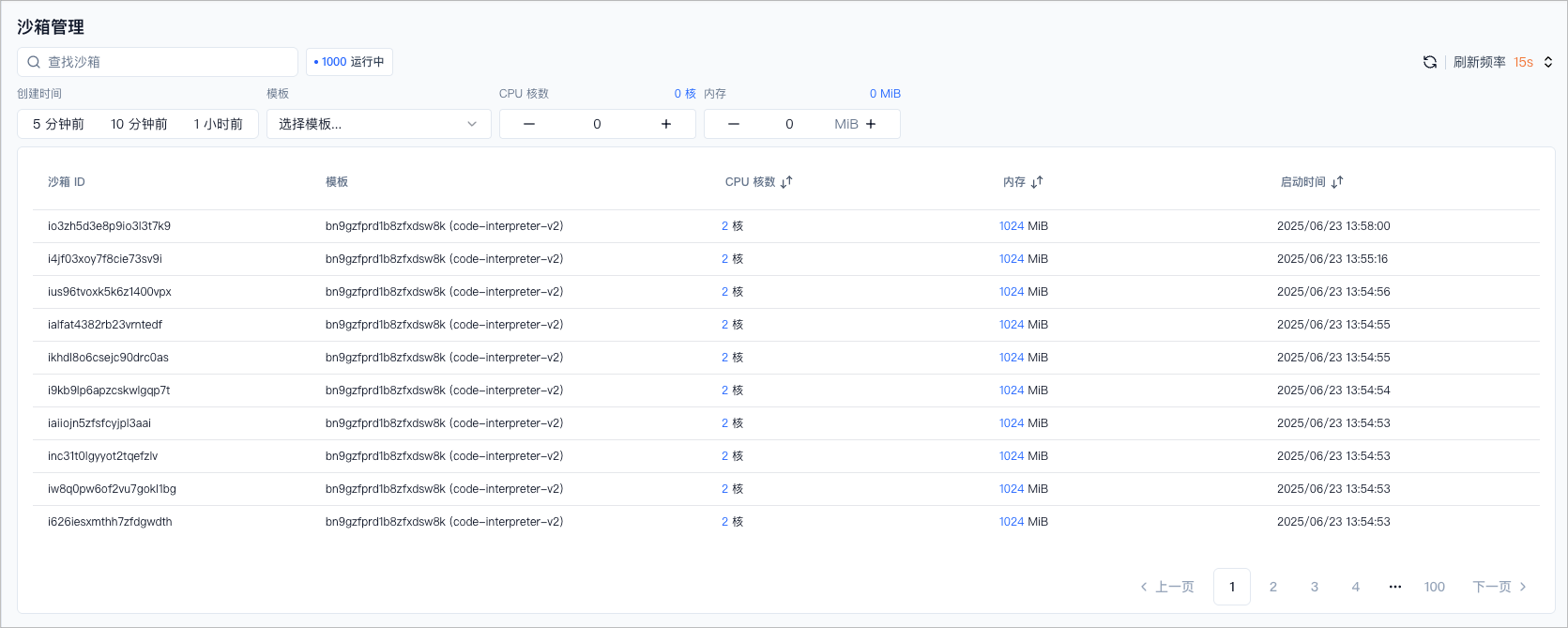
* 展示当前运行中的沙箱列表。
* 支持根据沙箱 ID 搜索查找指定沙箱。
* 支持根据沙箱创建时间、沙箱模版、vCPU 核数、内存等维度进行筛选。
 ## 模板管理
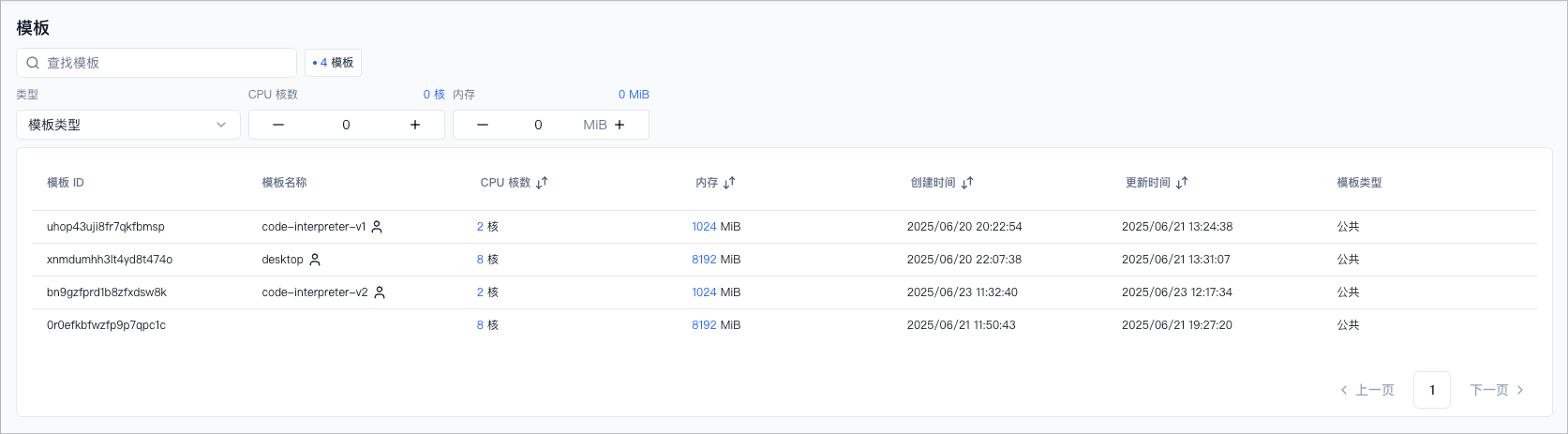
* 展示当前你可用的沙箱模版,包含 PPIO 提供的官方模版及您的自定义模版。
* 支持根据模版 ID 查找指定模版。
* 支持根据模版类型(公共或私有或全部)、vCPU 核数、内存维度进行模板筛选。
## 模板管理
* 展示当前你可用的沙箱模版,包含 PPIO 提供的官方模版及您的自定义模版。
* 支持根据模版 ID 查找指定模版。
* 支持根据模版类型(公共或私有或全部)、vCPU 核数、内存维度进行模板筛选。
 ## 用量统计
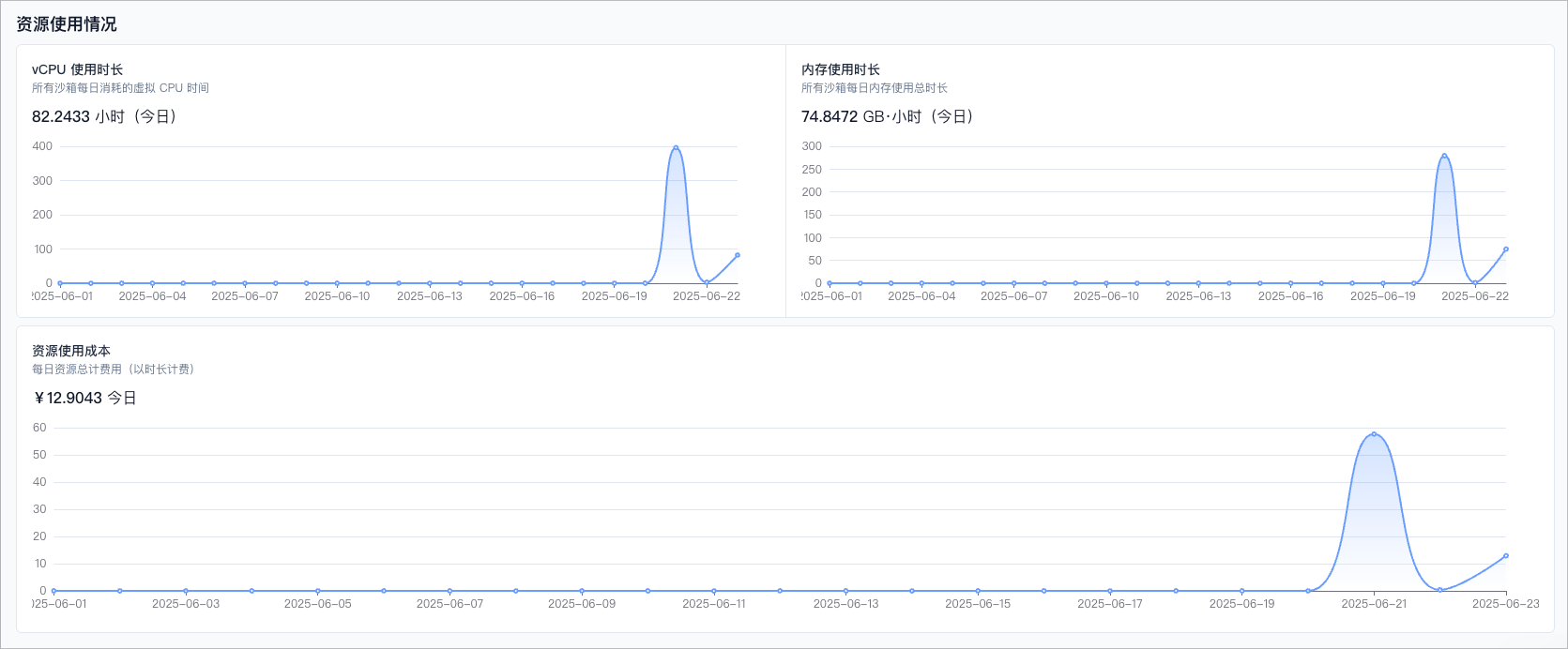
平台为您提供每日的资源使用量与成本可视化数据,方便您及时了解资源消耗情况、优化使用策略。
* vCPU 使用时长
* 显示所有沙箱实例当日累计消耗的 vCPU 总时长(单位:小时)。
* 该数据为按秒计费的统计基础,可用于评估当前计算资源使用强度。
* 内存使用时长
* 显示所有沙箱实例当日内存使用总时长(单位:GB·小时)。
* 系统根据每个实例运行期间的内存分配量与使用时长计算得出。
* 资源使用成本
* 显示每日资源总计费用(计费为小时粒度),单位为人民币(¥)。
* 包括所有 vCPU 与内存的合计费用。当前沙箱存储空间和沙箱模版免费使用。
温馨提示
* 所有资源均按秒计费,统计值为当天实际产生的使用量汇总。
* 图表展示过去 30 天趋势,可用于用量变化趋势监控。
* 当前页面数据为近似实时刷新,可能与账单略有偏差,最终结算以账单页面为准。
## 用量统计
平台为您提供每日的资源使用量与成本可视化数据,方便您及时了解资源消耗情况、优化使用策略。
* vCPU 使用时长
* 显示所有沙箱实例当日累计消耗的 vCPU 总时长(单位:小时)。
* 该数据为按秒计费的统计基础,可用于评估当前计算资源使用强度。
* 内存使用时长
* 显示所有沙箱实例当日内存使用总时长(单位:GB·小时)。
* 系统根据每个实例运行期间的内存分配量与使用时长计算得出。
* 资源使用成本
* 显示每日资源总计费用(计费为小时粒度),单位为人民币(¥)。
* 包括所有 vCPU 与内存的合计费用。当前沙箱存储空间和沙箱模版免费使用。
温馨提示
* 所有资源均按秒计费,统计值为当天实际产生的使用量汇总。
* 图表展示过去 30 天趋势,可用于用量变化趋势监控。
* 当前页面数据为近似实时刷新,可能与账单略有偏差,最终结算以账单页面为准。