> ## Documentation Index
> Fetch the complete documentation index at: https://ppio.com/docs/llms.txt
> Use this file to discover all available pages before exploring further.
# Cherry Studio 接入 PPIO LLM API
## 教程概述
Cherry Studio 是一款多模型桌面客户端,目前支持:Windows 、Linux 、MacOS 系电脑安装包。它聚合主流 LLM 模型,提供多场景辅助。用户可通过智能会话管理、开源定制、多主题界面来提升工作效率。
Cherry Studio 现已与 **PPIO 高性能 API 通道** 深度适配——通过企业级算力保障,实现 **DeepSeek-R1/V3 高速响应** 与 **99.9% 服务可用性**,带给您快速流畅的体验。
下方教程包含完整接入方案(含密钥配置),3 分钟开启「Cherry Studio 智能调度 + PPIO 高性能 API」的进阶模式。
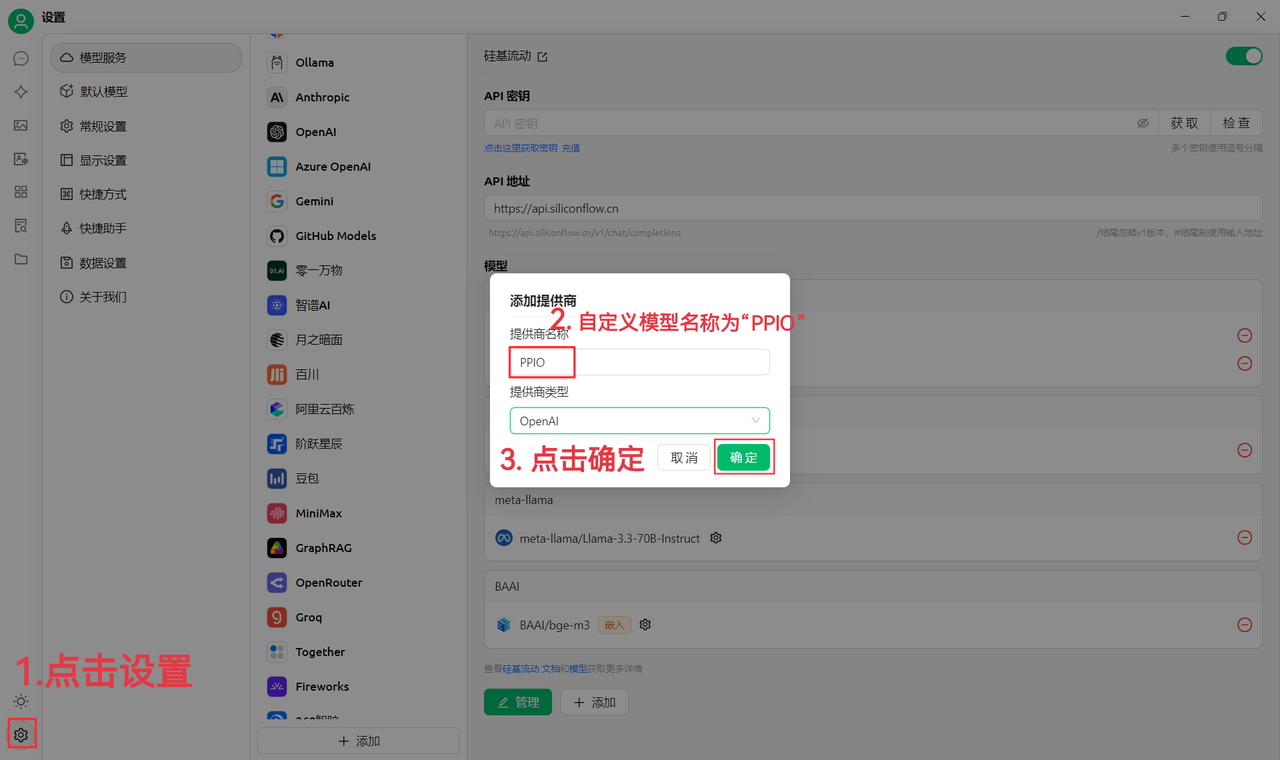
## 1. 进入 CherryStudio,添加 “PPIO” 作为模型提供商
首先前往官网下载 Cherry Studio: [https://www.cherry-ai.com/download](https://www.cherry-ai.com/download) (如果进不去可以打开下面的百度云链接下载自己需要的版本: [https://pan.baidu.com/s/1EgMxS-pdb4wq1zMdxjHNpw?pwd](https://pan.baidu.com/s/1EgMxS-pdb4wq1zMdxjHNpw?pwd) = mcy2 )
(1)先点击左下角设置,自定义提供商名称为:`PPIO`,点击“确定”
 (2)前往 PPIO 派欧云 API 密钥管理 ,点击【用户头像】—【API 密钥管理】进入控制台
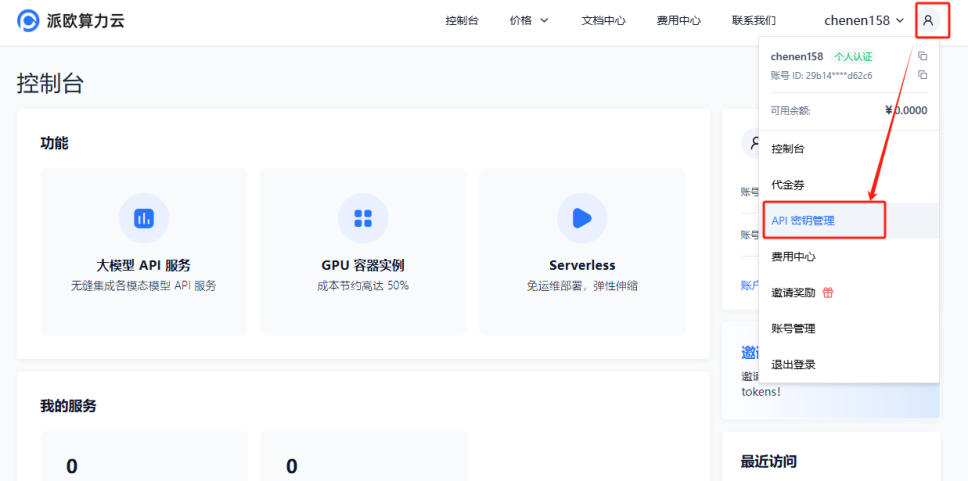 点击 【+ 创建】按钮来创建新的 API 密钥。自定义一个密钥名称,**生成的密钥仅在生成时呈现,务必复制并保存到文档中,以免影响后续使用**
 (3)在 CherryStudio 填入密钥
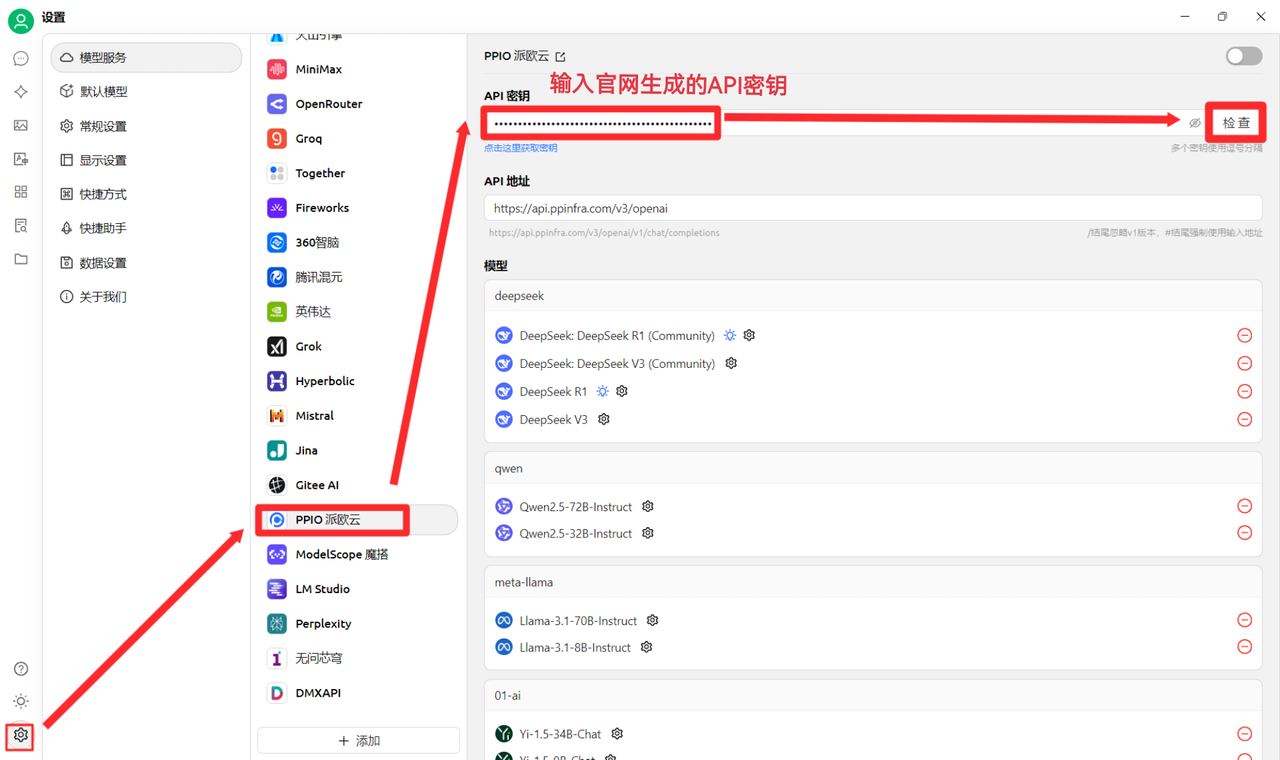
点击设置,选择【PPIO 派欧云】,输入官网生成的 API 密钥,最后点击【检查】
(3)在 CherryStudio 填入密钥
点击设置,选择【PPIO 派欧云】,输入官网生成的 API 密钥,最后点击【检查】
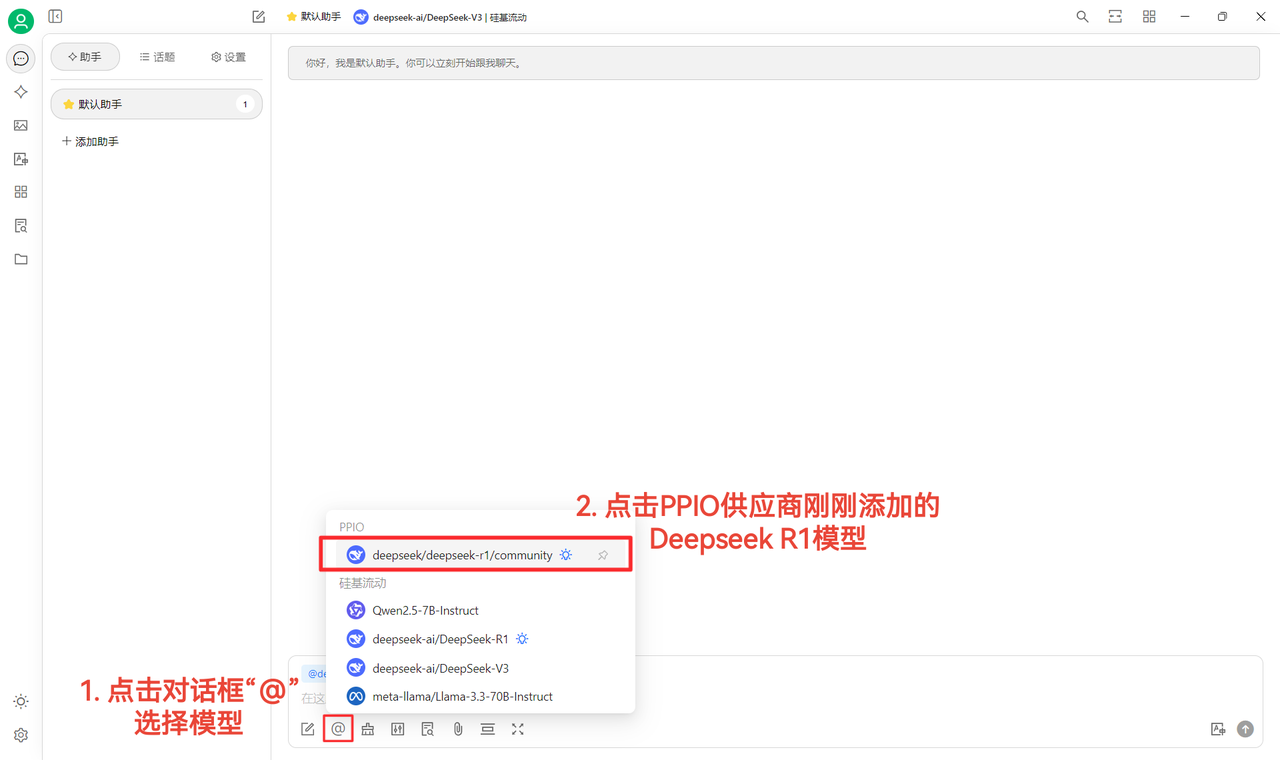
 (4)选择模型:deepseek/deepseek-r1/community 为例,如需更换其他模型,可直接更换。
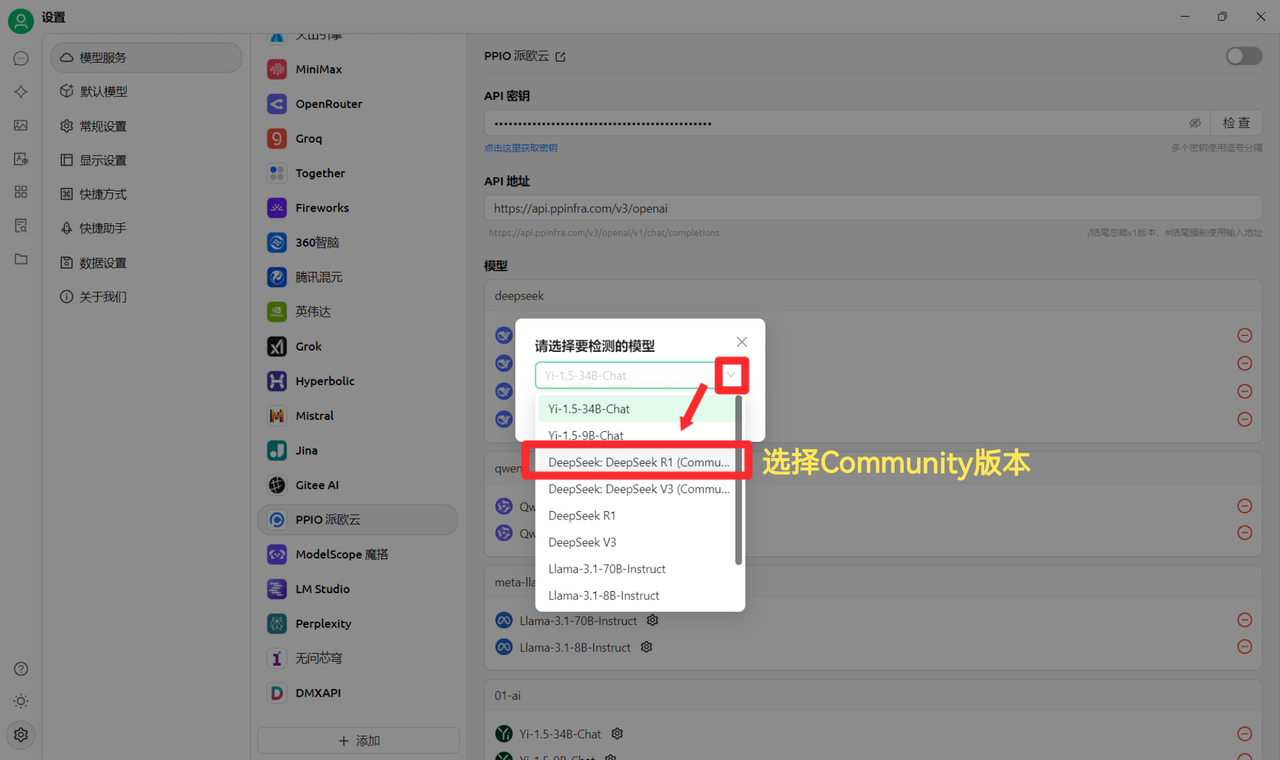 DeepSeek R1 和 V3 community 版本仅供大家尝鲜,也是全参数满血版模型,稳定性和效果无差异,如需大量调用则须 **充值并切换到非 community 版本**。
## 2. 模型使用配置
(1)点击【检查】显示连接成功后即可正常使用
DeepSeek R1 和 V3 community 版本仅供大家尝鲜,也是全参数满血版模型,稳定性和效果无差异,如需大量调用则须 **充值并切换到非 community 版本**。
## 2. 模型使用配置
(1)点击【检查】显示连接成功后即可正常使用
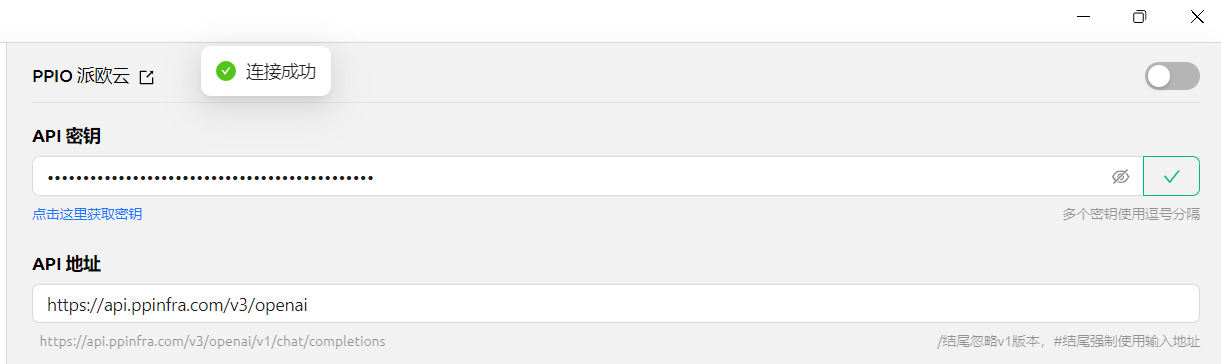 (2)最后点击【@】选择 PPIO 供应商下刚刚添加的 DeepSeek R1 模型,即可成功开始聊天\~
 【部分素材来源: 陈恩 】
## 3. PPIO×Cherry Studio 视频使用教程
若您更倾向直观学习,我们在 B 站准备了视频教程。通过手把手教学,助您快速掌握「PPIO API+Cherry Studio」的配置方法,点击下方链接直达视频,开启流畅开发体验 → 《 【还在为 DeepSeek 疯狂转圈抓狂?】派欧云+DeepSeek 满血版 =?不再拥堵,即刻起飞》
【视频素材来源:sola】
## PPIO 全新福利重磅来袭 🔥
🎁 新人专享:立即使用邀请码【VOJL20】完成注册并实名认证获得5元代金券。
🎉限时活动:分享邀请链接邀请好友注册,邀请返利详情请查看 [邀请返利](https://ppio.com/settings/invitation-rebate)。
【部分素材来源: 陈恩 】
## 3. PPIO×Cherry Studio 视频使用教程
若您更倾向直观学习,我们在 B 站准备了视频教程。通过手把手教学,助您快速掌握「PPIO API+Cherry Studio」的配置方法,点击下方链接直达视频,开启流畅开发体验 → 《 【还在为 DeepSeek 疯狂转圈抓狂?】派欧云+DeepSeek 满血版 =?不再拥堵,即刻起飞》
【视频素材来源:sola】
## PPIO 全新福利重磅来袭 🔥
🎁 新人专享:立即使用邀请码【VOJL20】完成注册并实名认证获得5元代金券。
🎉限时活动:分享邀请链接邀请好友注册,邀请返利详情请查看 [邀请返利](https://ppio.com/settings/invitation-rebate)。