> ## Documentation Index
> Fetch the complete documentation index at: https://ppio.com/docs/llms.txt
> Use this file to discover all available pages before exploring further.
# DeepSeek Harness 接入 PPIO LLM API
 DeepSeek Harness 自发布以来,在开发者社区获得广泛关注。目前上线不到一个月的时间,DeepSeek Harness 在 Github 积累了 21 万星标,社区已开发了超过 13000 个插件。
DeepSeek Harness 的核心设计理念为「一切皆插件」。相比于封闭系统的 Claude Code、Codex 等相似 Agent 产品,DeepSeek Harness 的一切能力都是可以自由替换、灵活重组的,包括模型、工具、技能、会话、沙箱、存储等。
DeepSeek 官方提出了一个公式:**Agent = Model + Harness**。模型是 Agent 的灵魂,Harness 给予 Agent 理解环境、使用工具,并在真实场景中持续工作的能力。
DeepSeek Harness 不仅支持 DeepSeek 官方模型,也可以接入其他数十家厂商的大模型。
现在,PPIO 模型服务平台也支持一键接入 DeepSeek Harness。**PPIO 模型服务平台支持 DeepSeek、GLM、Kimi、Qwen、MiniMax 等业内主流开源系列模型,开发者只需要配置一个统一的 API Key,就可以在 DeepSeek Harness 中实现模型的无缝切换。**
此外,PPIO 的企业 Token Plan,模型调用低至 4.5 折,最多支持 200 个席位。如果你的团队正在使用 DeepSeek Harness,PPIO 企业 Token Plan 是一个极具性价比的「Token 加油包」。
## 准备工作:创建 PPIO API Key
API Key 是在配置 DeepSeek Harness 时的关键信息。获取 API key 需要先注册 PPIO 账号并登录(新用户填写邀请码【A7JKSR】还可以额外获得 5 元代金券),然后打开 [API 密钥管理页面](https://ppio.com/settings/key-management) 点击创建。
注册地址:[https://ppio.com/](https://ppio.com/)
DeepSeek Harness 自发布以来,在开发者社区获得广泛关注。目前上线不到一个月的时间,DeepSeek Harness 在 Github 积累了 21 万星标,社区已开发了超过 13000 个插件。
DeepSeek Harness 的核心设计理念为「一切皆插件」。相比于封闭系统的 Claude Code、Codex 等相似 Agent 产品,DeepSeek Harness 的一切能力都是可以自由替换、灵活重组的,包括模型、工具、技能、会话、沙箱、存储等。
DeepSeek 官方提出了一个公式:**Agent = Model + Harness**。模型是 Agent 的灵魂,Harness 给予 Agent 理解环境、使用工具,并在真实场景中持续工作的能力。
DeepSeek Harness 不仅支持 DeepSeek 官方模型,也可以接入其他数十家厂商的大模型。
现在,PPIO 模型服务平台也支持一键接入 DeepSeek Harness。**PPIO 模型服务平台支持 DeepSeek、GLM、Kimi、Qwen、MiniMax 等业内主流开源系列模型,开发者只需要配置一个统一的 API Key,就可以在 DeepSeek Harness 中实现模型的无缝切换。**
此外,PPIO 的企业 Token Plan,模型调用低至 4.5 折,最多支持 200 个席位。如果你的团队正在使用 DeepSeek Harness,PPIO 企业 Token Plan 是一个极具性价比的「Token 加油包」。
## 准备工作:创建 PPIO API Key
API Key 是在配置 DeepSeek Harness 时的关键信息。获取 API key 需要先注册 PPIO 账号并登录(新用户填写邀请码【A7JKSR】还可以额外获得 5 元代金券),然后打开 [API 密钥管理页面](https://ppio.com/settings/key-management) 点击创建。
注册地址:[https://ppio.com/](https://ppio.com/)
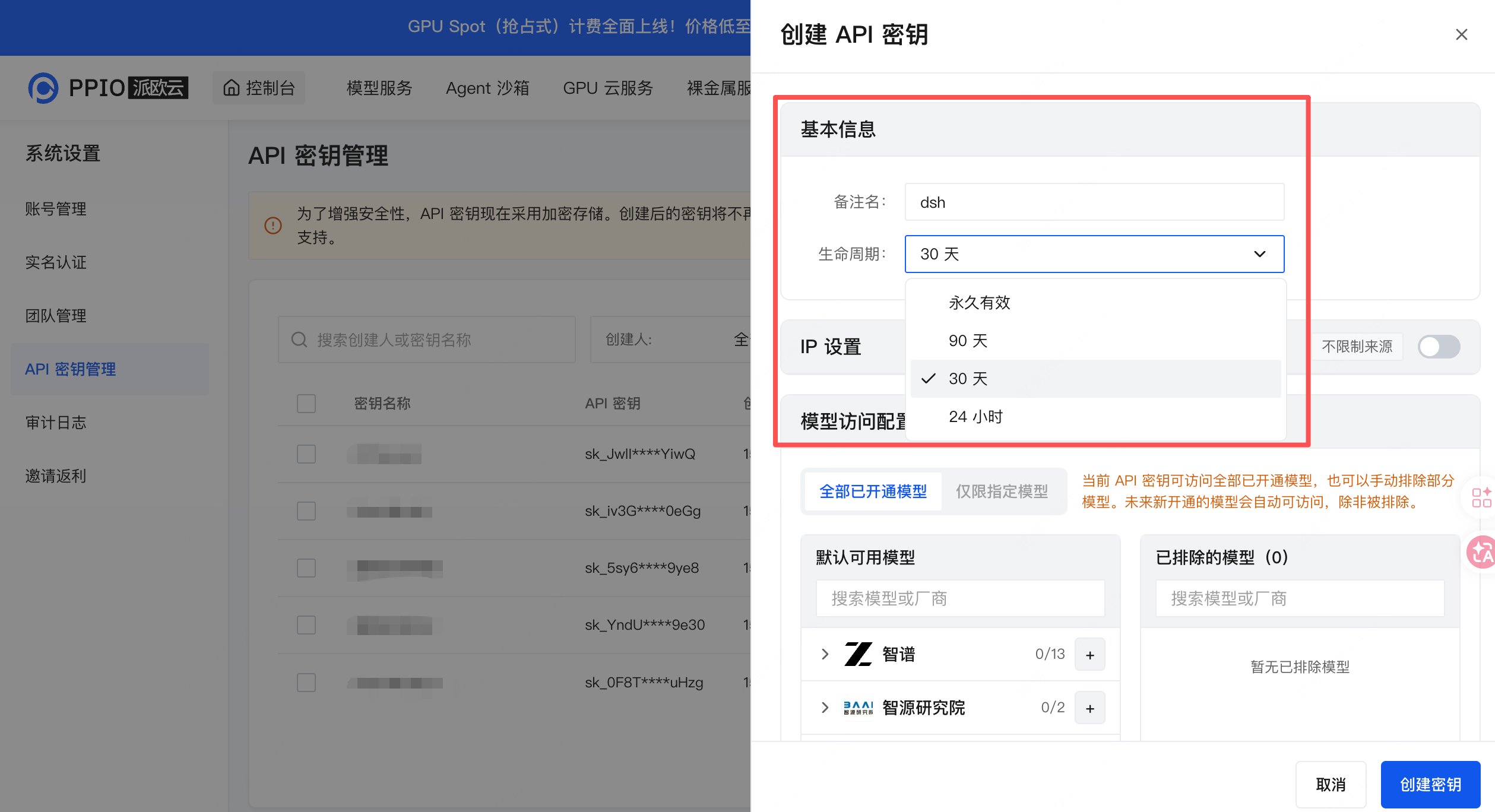
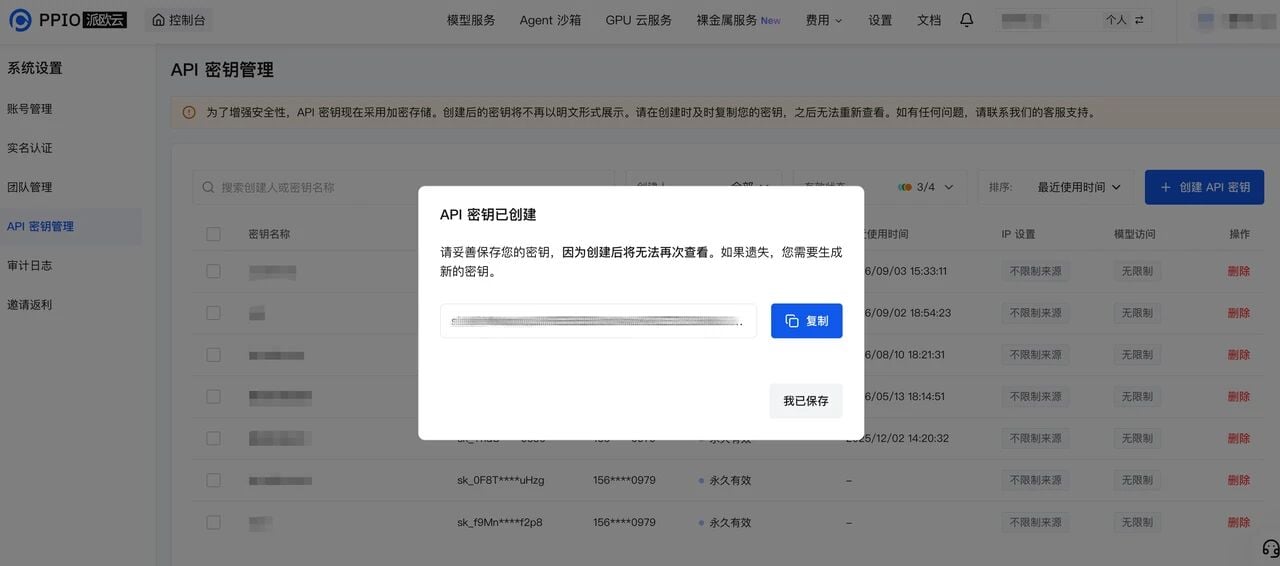
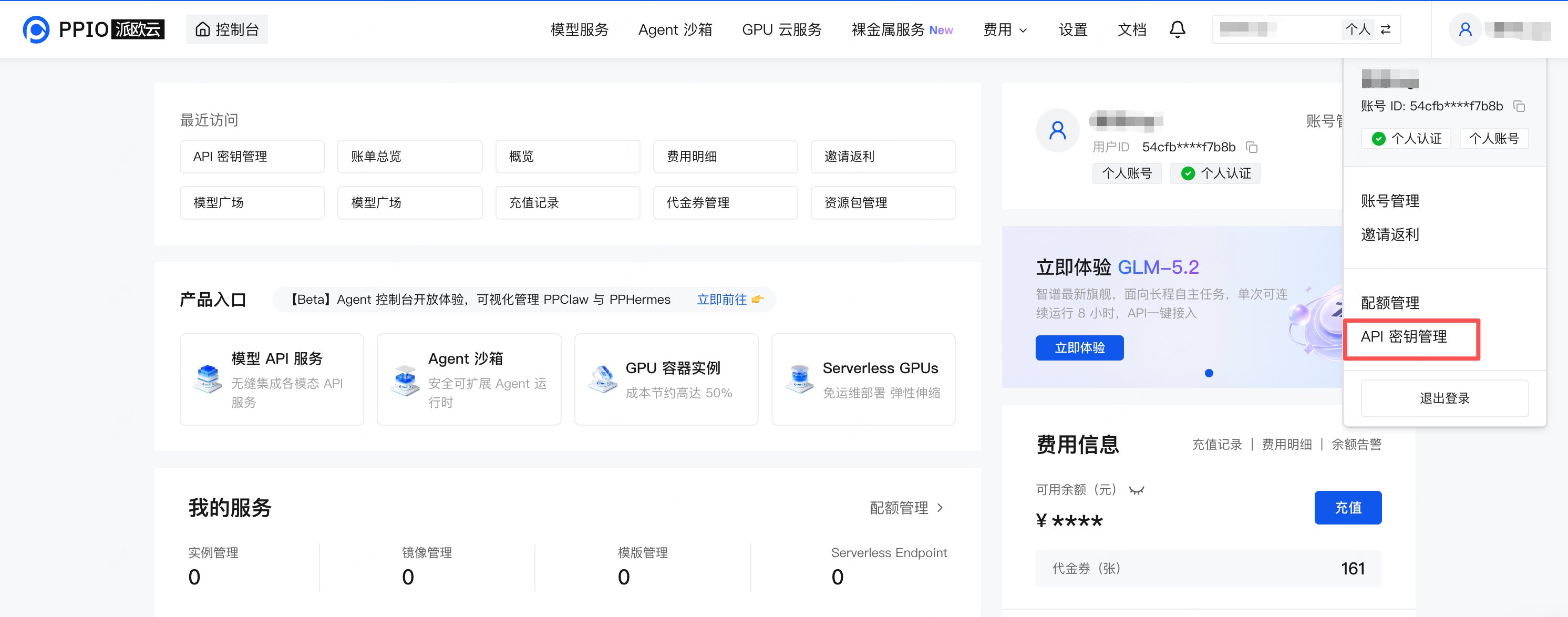 根据自身需求输入自定义密钥名称、选择生命周期时长,API 密钥即可创建成功。
 ## 三步接入,丝滑使用 DeepSeek Harness
跟 WorkBuddy、Manus 等零门槛下载安装的产品不同,DeepSeek Harness 目前只支持通过 `npm` 运行和源码运行两种方式。
你可以直接将 Github 链接发给 Claude Code 或者 WorkBuddy 等工具来帮你安装,也可以选择手动安装。手动安装我们以更简单的 npm 运行方式为例。
### 第一步:安装 Node.js
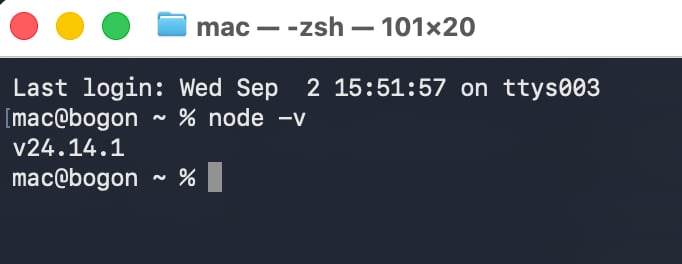
Node.js 是让 DeepSeek Harness 运行的环境。以 Mac 电脑为例,打开终端后输入以下代码来检查是否已经安装 Node.js:
```bash theme={null}
node -v
```
如果已经安装 Node.js,则会出现版本号,比如 `v24.14.1`;如果没有装 Node.js,可前往 [Node.js 下载页](https://nodejs.org/en/download) 安装。
## 三步接入,丝滑使用 DeepSeek Harness
跟 WorkBuddy、Manus 等零门槛下载安装的产品不同,DeepSeek Harness 目前只支持通过 `npm` 运行和源码运行两种方式。
你可以直接将 Github 链接发给 Claude Code 或者 WorkBuddy 等工具来帮你安装,也可以选择手动安装。手动安装我们以更简单的 npm 运行方式为例。
### 第一步:安装 Node.js
Node.js 是让 DeepSeek Harness 运行的环境。以 Mac 电脑为例,打开终端后输入以下代码来检查是否已经安装 Node.js:
```bash theme={null}
node -v
```
如果已经安装 Node.js,则会出现版本号,比如 `v24.14.1`;如果没有装 Node.js,可前往 [Node.js 下载页](https://nodejs.org/en/download) 安装。
 ### 第二步:安装并运行 DeepSeek Harness
安装 Node.js 之后,打开终端直接输入一行代码即可:
```bash theme={null}
npx @deepseek-ai/dsh web
```
第一次运行时会下载相关依赖文件,可能会花费较长时间。命令执行完成后会打开默认浏览器直接启动 Web UI,地址为 [http://127.0.0.1:3080/](http://127.0.0.1:3080/)
### 第二步:安装并运行 DeepSeek Harness
安装 Node.js 之后,打开终端直接输入一行代码即可:
```bash theme={null}
npx @deepseek-ai/dsh web
```
第一次运行时会下载相关依赖文件,可能会花费较长时间。命令执行完成后会打开默认浏览器直接启动 Web UI,地址为 [http://127.0.0.1:3080/](http://127.0.0.1:3080/)
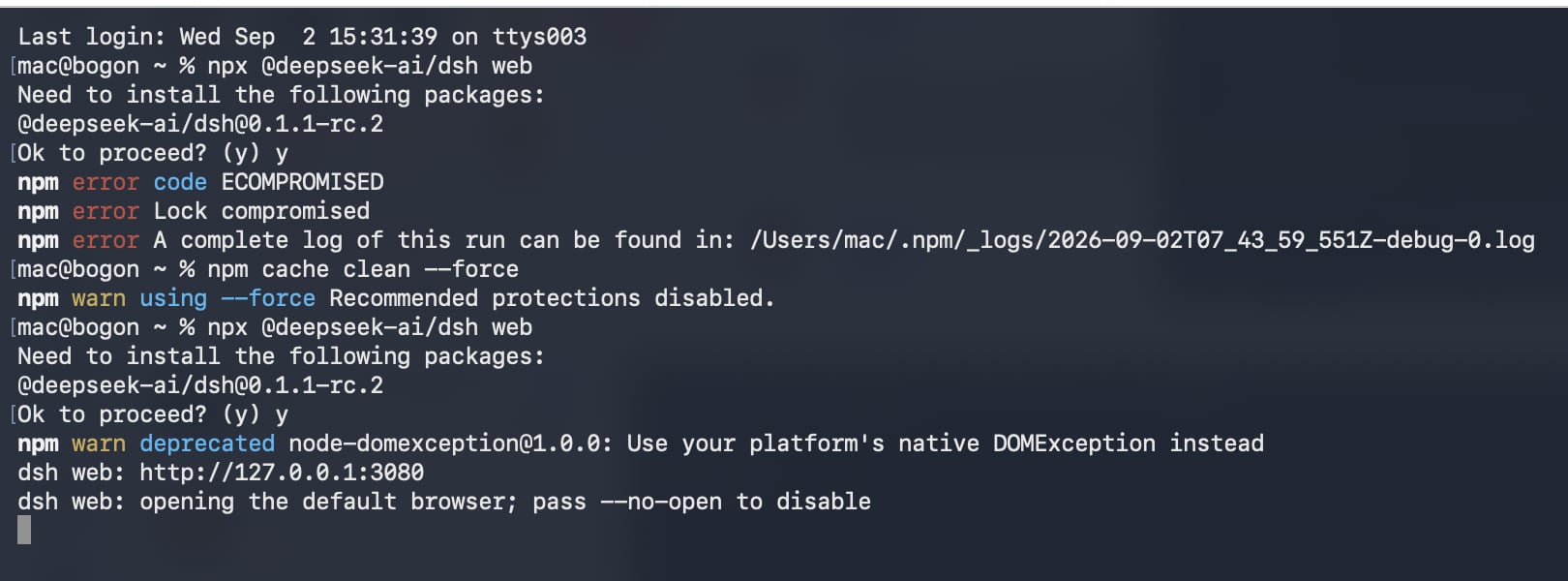 如果安装过程出现报错,可能是遇到权限不足、下载失败等问题,可以求助 DeepSeek、Claude Code 等 AI 助手再次尝试。
### 第三步:配置 PPIO API Key
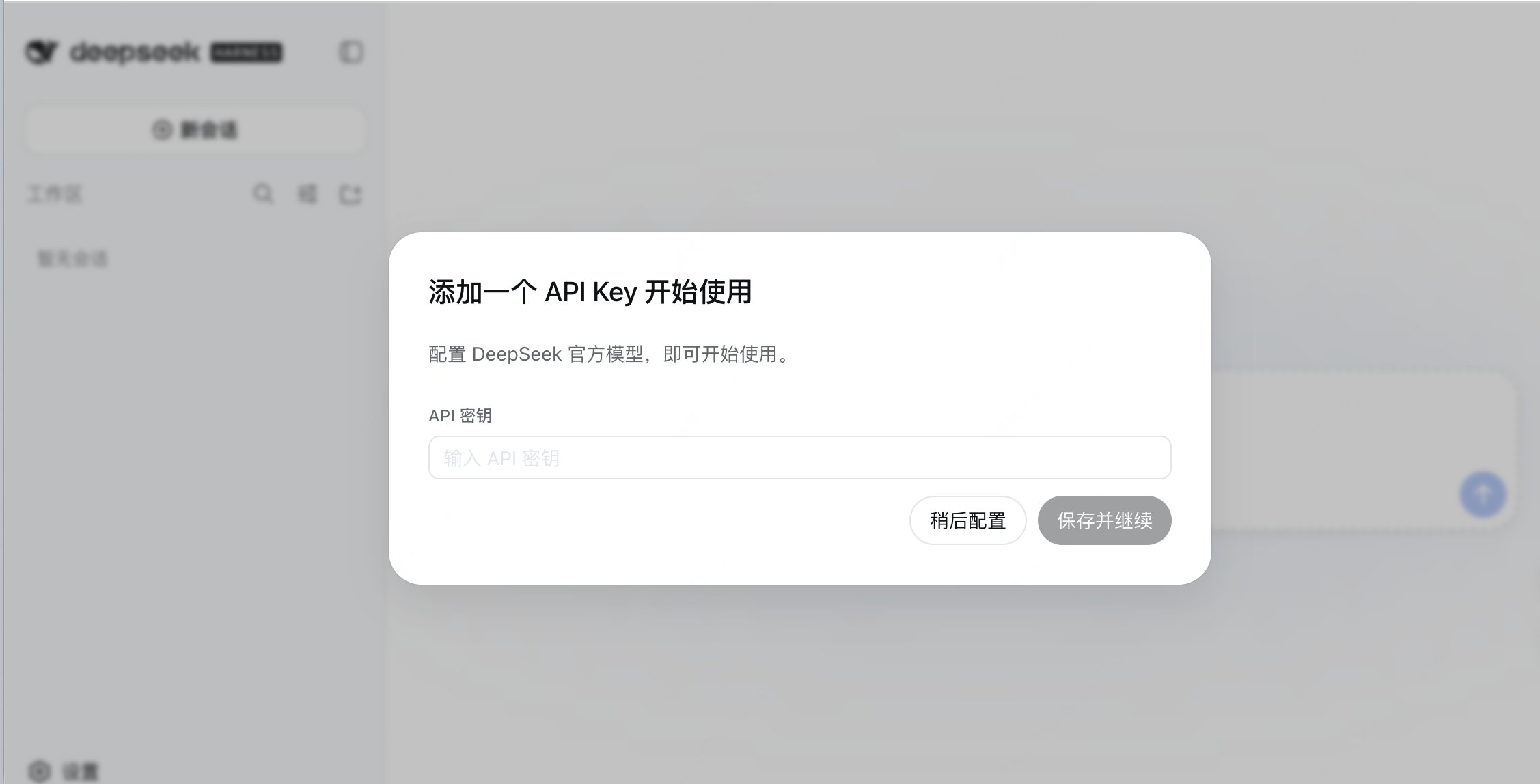
首次进入 DeepSeek Harness 页面时会提示填入 DeepSeek 的官方 API Key,我们选择稍后配置,改用自定义 PPIO 的模型。
如果安装过程出现报错,可能是遇到权限不足、下载失败等问题,可以求助 DeepSeek、Claude Code 等 AI 助手再次尝试。
### 第三步:配置 PPIO API Key
首次进入 DeepSeek Harness 页面时会提示填入 DeepSeek 的官方 API Key,我们选择稍后配置,改用自定义 PPIO 的模型。
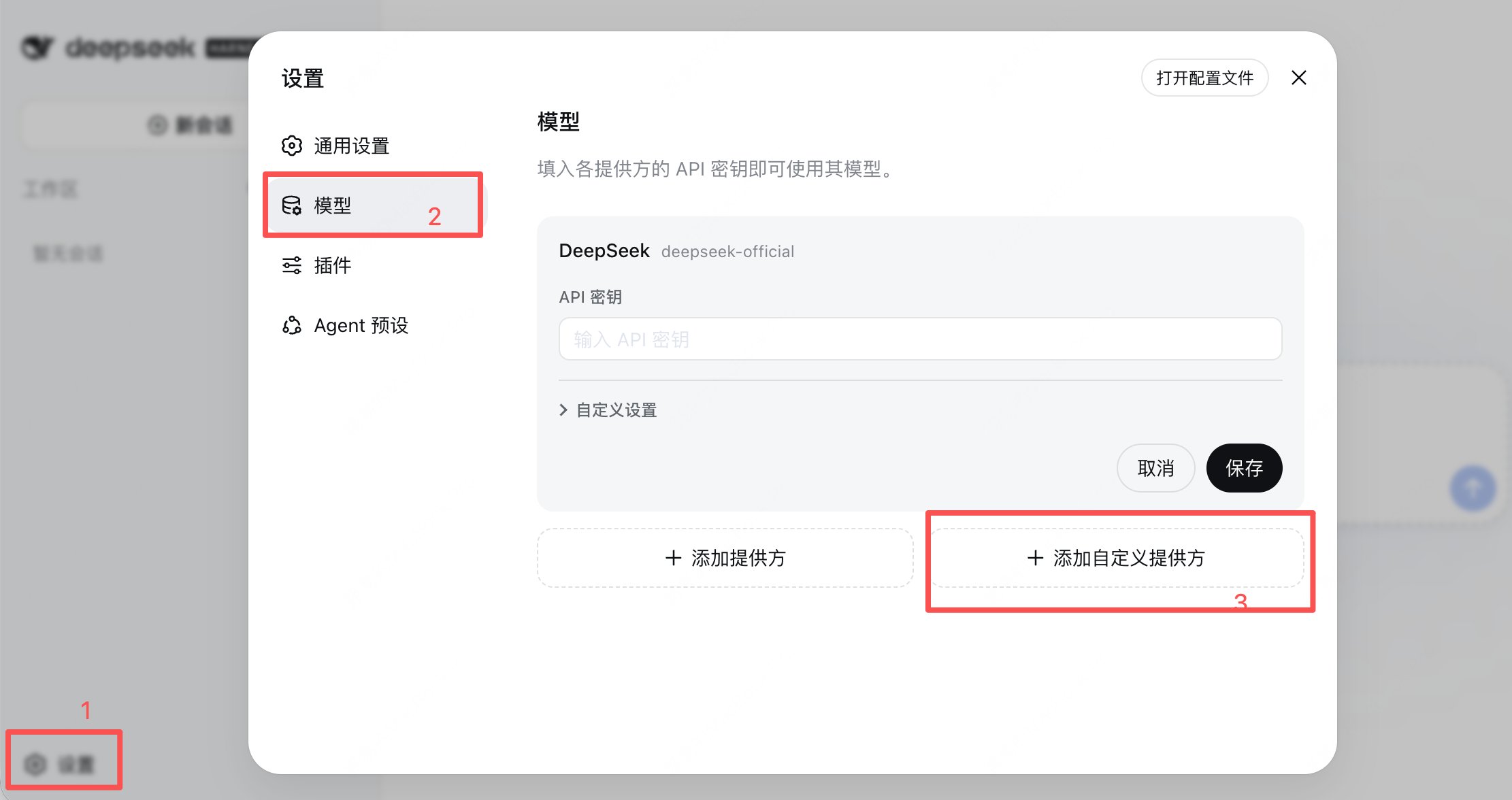
 点击左下角设置,选择「模型」里的「添加自定义提供方」。
 将 PPIO 的相关配置填入,包括:
* **Provider ID 与显示名称**:自定义即可,比如命名为 PPIO
* **API 地址**,即 PPIO 的 Base URL:`https://api.ppio.com/openai`(OpenAI 兼容协议)
* **API 密钥**:即在上一步中创建的 PPIO 密钥
* **模型目录**:点击「获取可用模型」,会自动导入 PPIO 的 Qwen、GLM、DeepSeek、Kimi、MiniMax 等多个系列模型
将 PPIO 的相关配置填入,包括:
* **Provider ID 与显示名称**:自定义即可,比如命名为 PPIO
* **API 地址**,即 PPIO 的 Base URL:`https://api.ppio.com/openai`(OpenAI 兼容协议)
* **API 密钥**:即在上一步中创建的 PPIO 密钥
* **模型目录**:点击「获取可用模型」,会自动导入 PPIO 的 Qwen、GLM、DeepSeek、Kimi、MiniMax 等多个系列模型
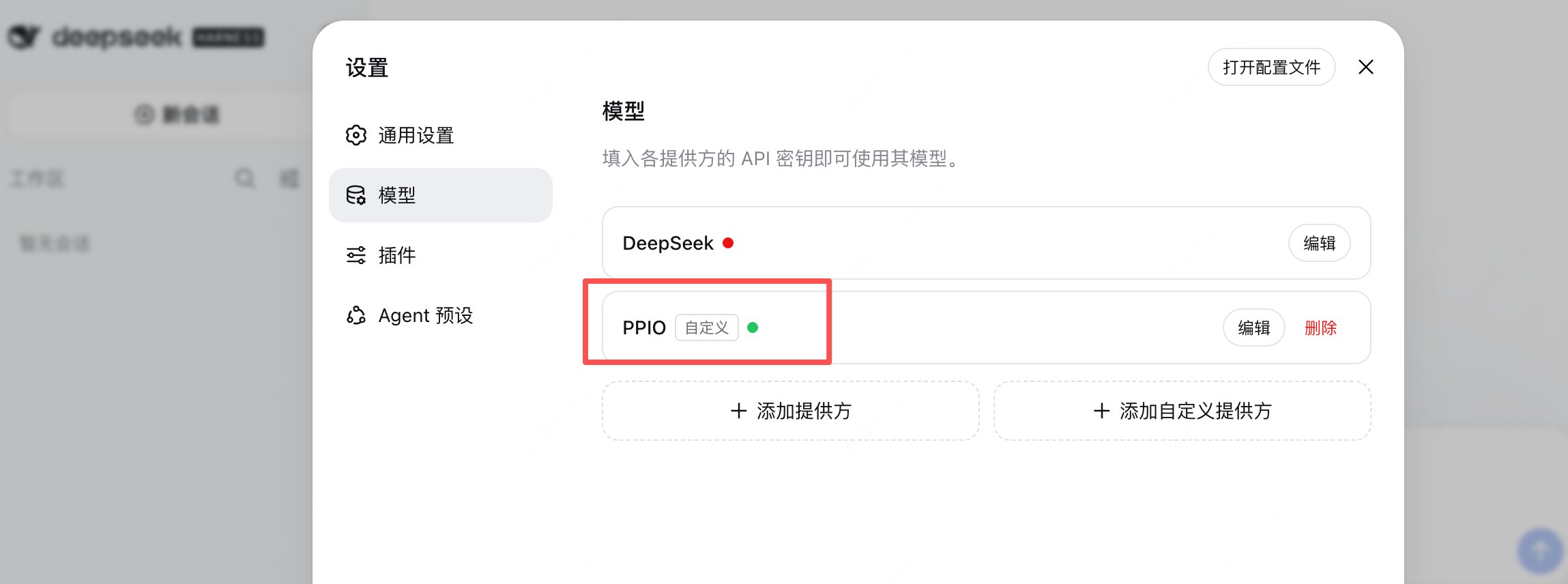
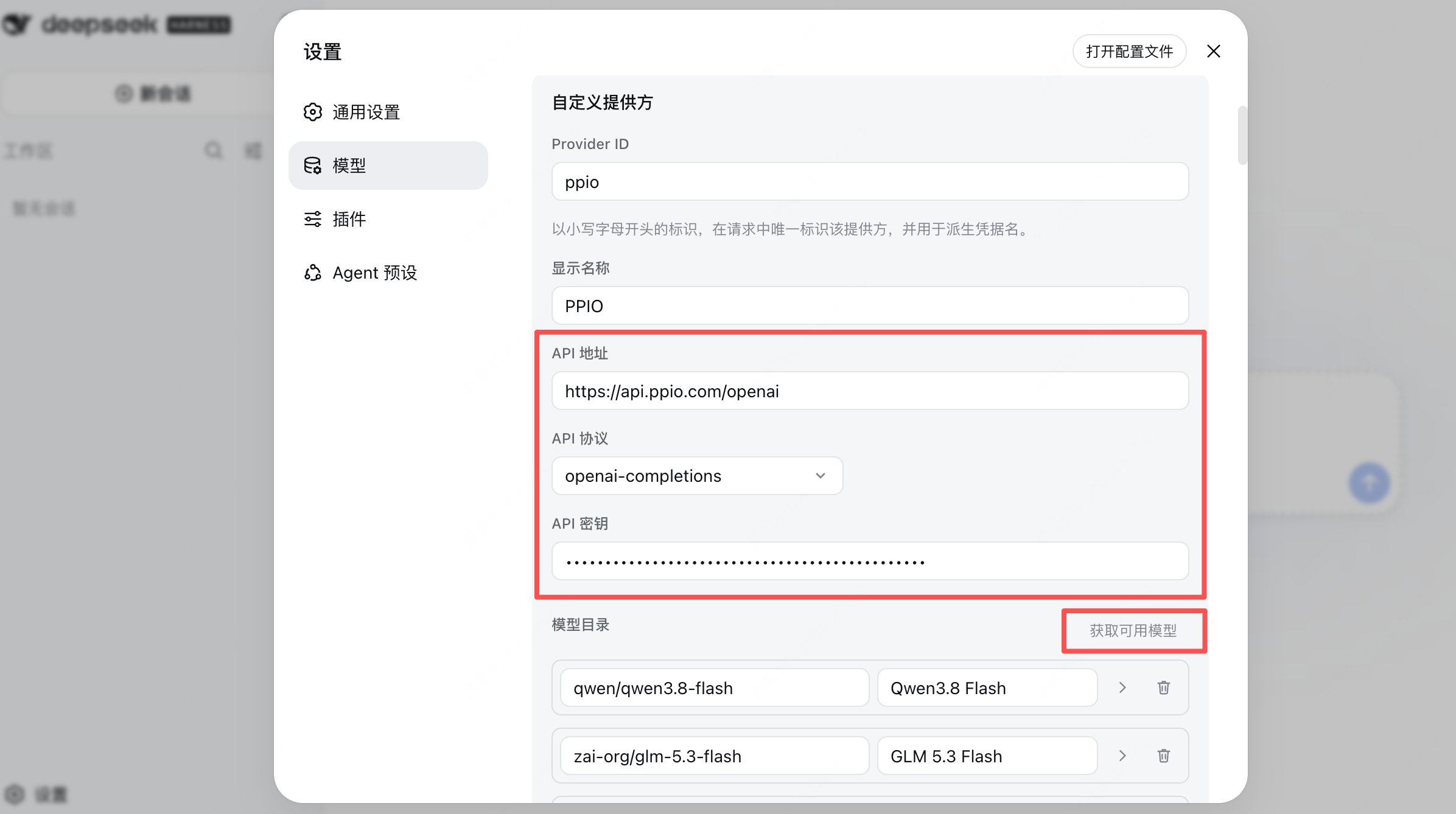 点击创建后,模型就自定义配置成功了。
 ### 第四步:运行任务
要想运行任务首先需要选择一个工作区,然后在已经配置好的 PPIO 的模型列表中选择你想调用的模型。
### 第四步:运行任务
要想运行任务首先需要选择一个工作区,然后在已经配置好的 PPIO 的模型列表中选择你想调用的模型。
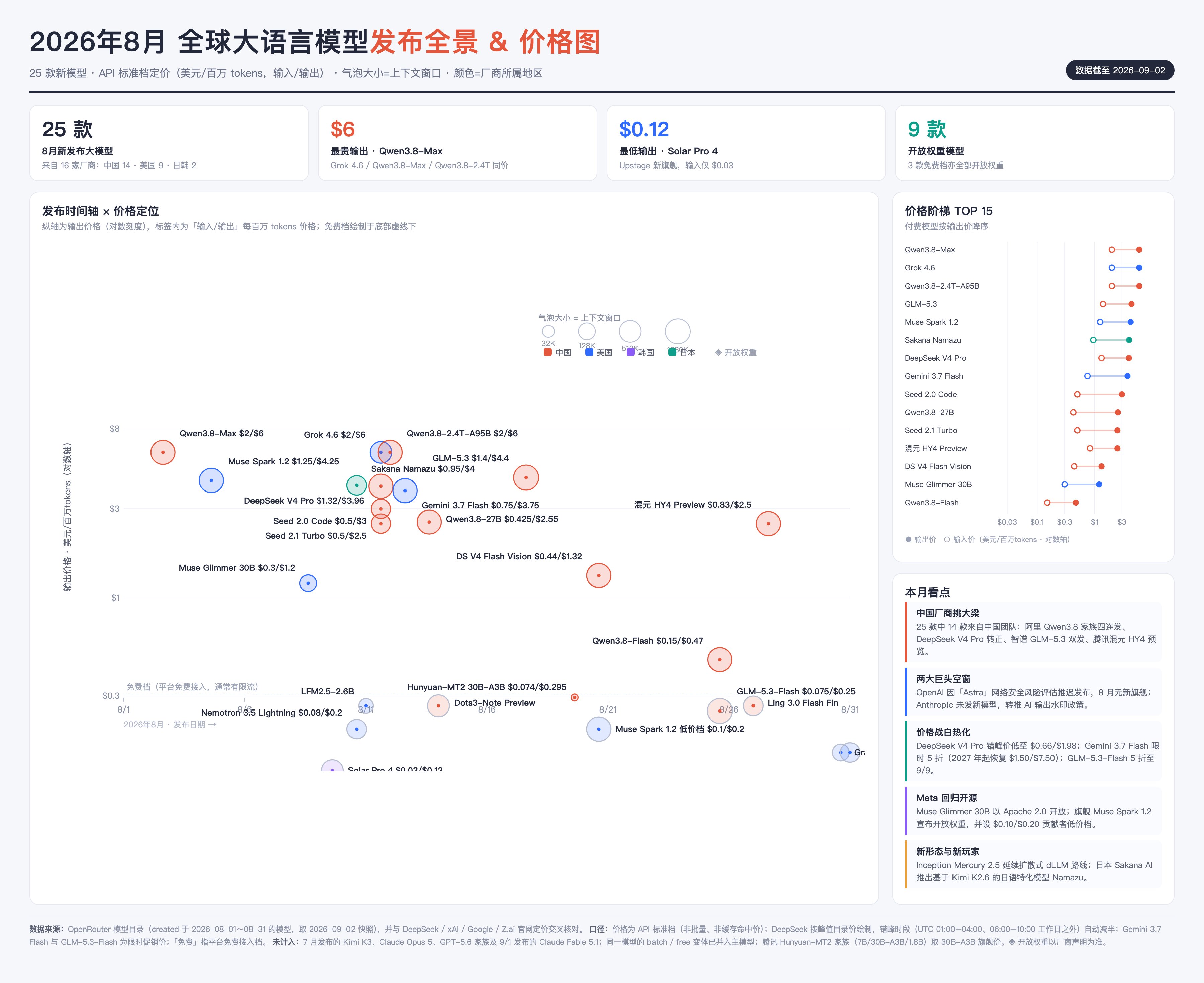
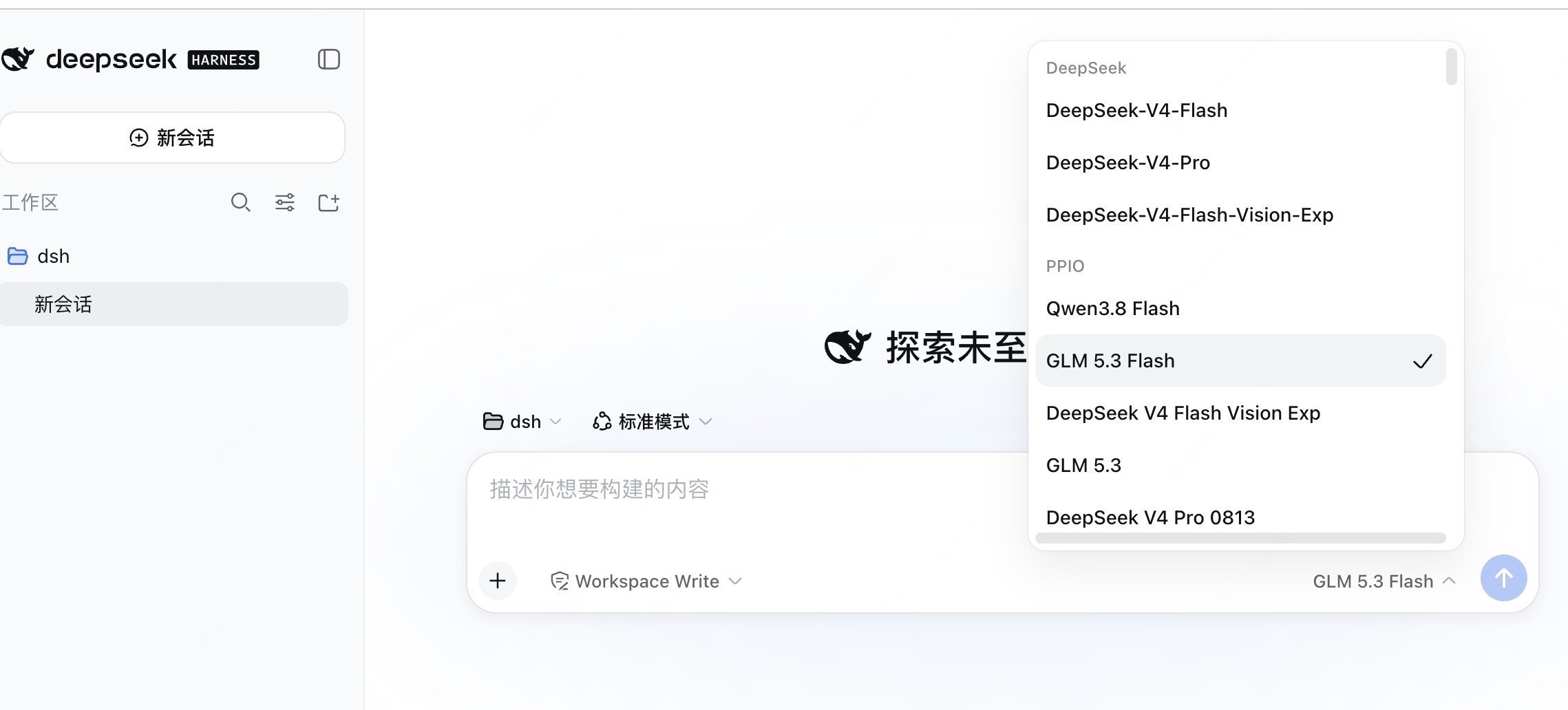 DeepSeek Harness 提供四种 Agent 运行模式:标准模式、PTC 模式、极简模式与创造模式。我们用默认状态下的标准模式和 GLM-5.3-Flash 模型来运行一个任务:「梳理 2026 年 8 月份市场上发布的大语言模型以及价格,做成一张图」。
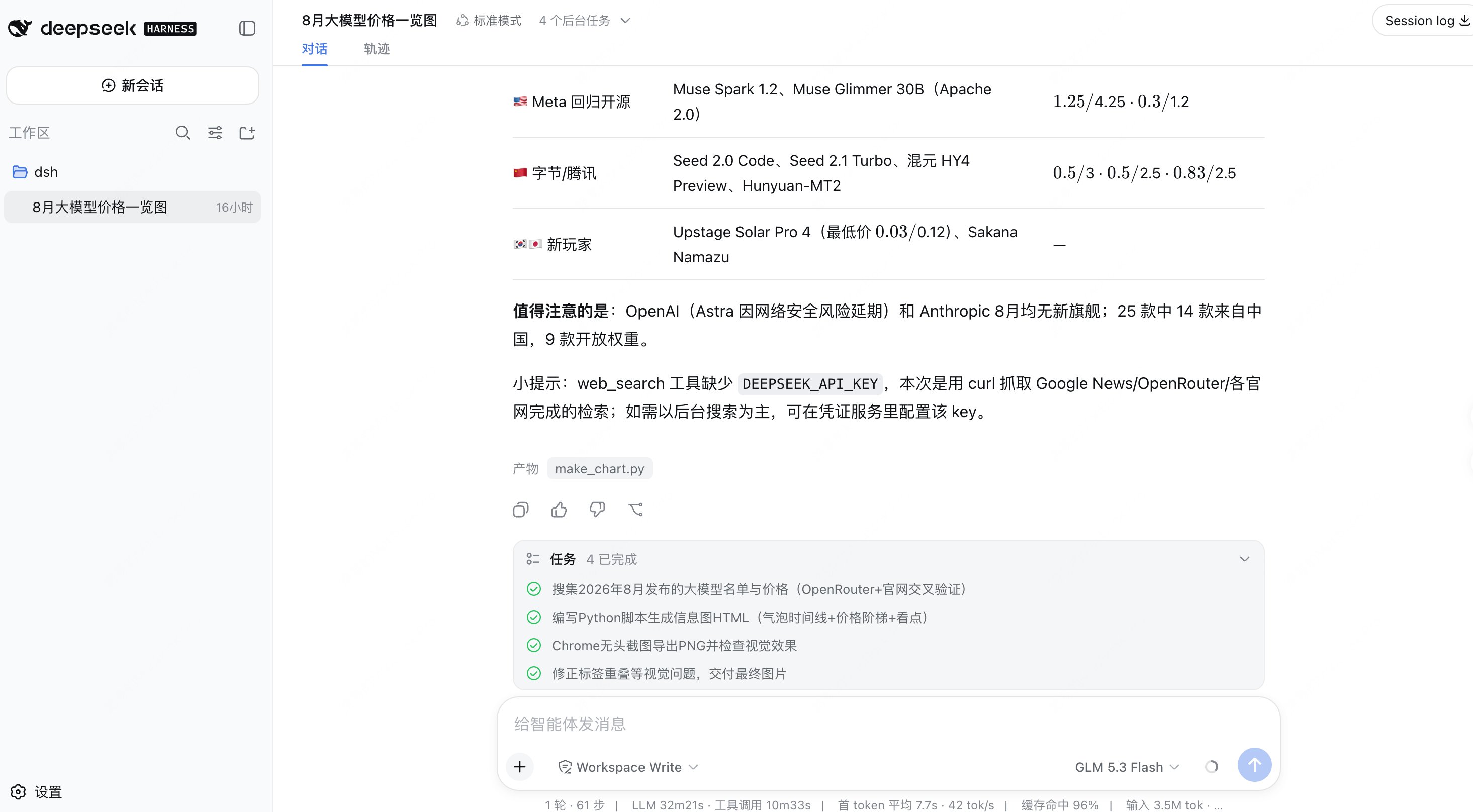 最终交付结果包括成品图、矢量源文件和生成脚本。成品图如下:
 如果你有更好的 DeepSeek Harness 的使用心得,欢迎来留言区评论交流。