> ## Documentation Index
> Fetch the complete documentation index at: https://ppio.com/docs/llms.txt
> Use this file to discover all available pages before exploring further.
# 沉浸式翻译接入 PPIO LLM API
## 教程概述
作为全网口碑炸裂的双语对照网页翻译插件,\*\*[沉浸式翻译](https://immersivetranslate.com/)\*\*使用 LLM 模型,具备跨语种理解能力,能够实时翻译应用于网页阅读、 PDF 翻译、 EPUB 电子书翻译、视频双语字幕翻译等场景,并支持各种浏览器插件和应用使用。
现在,所有技术红利正通过 PPIO 派欧云的开发者平台向所有人开放,简单三步解锁体验沉浸式国产最强模型 DeepSeek 的智能翻译能力。
下方教程包含完整接入方案(含密钥配置),3 分钟开启「沉浸式翻译 + PPIO 高性能 API」的进阶模式 ▶
## 1. 安装沉浸式翻译插件
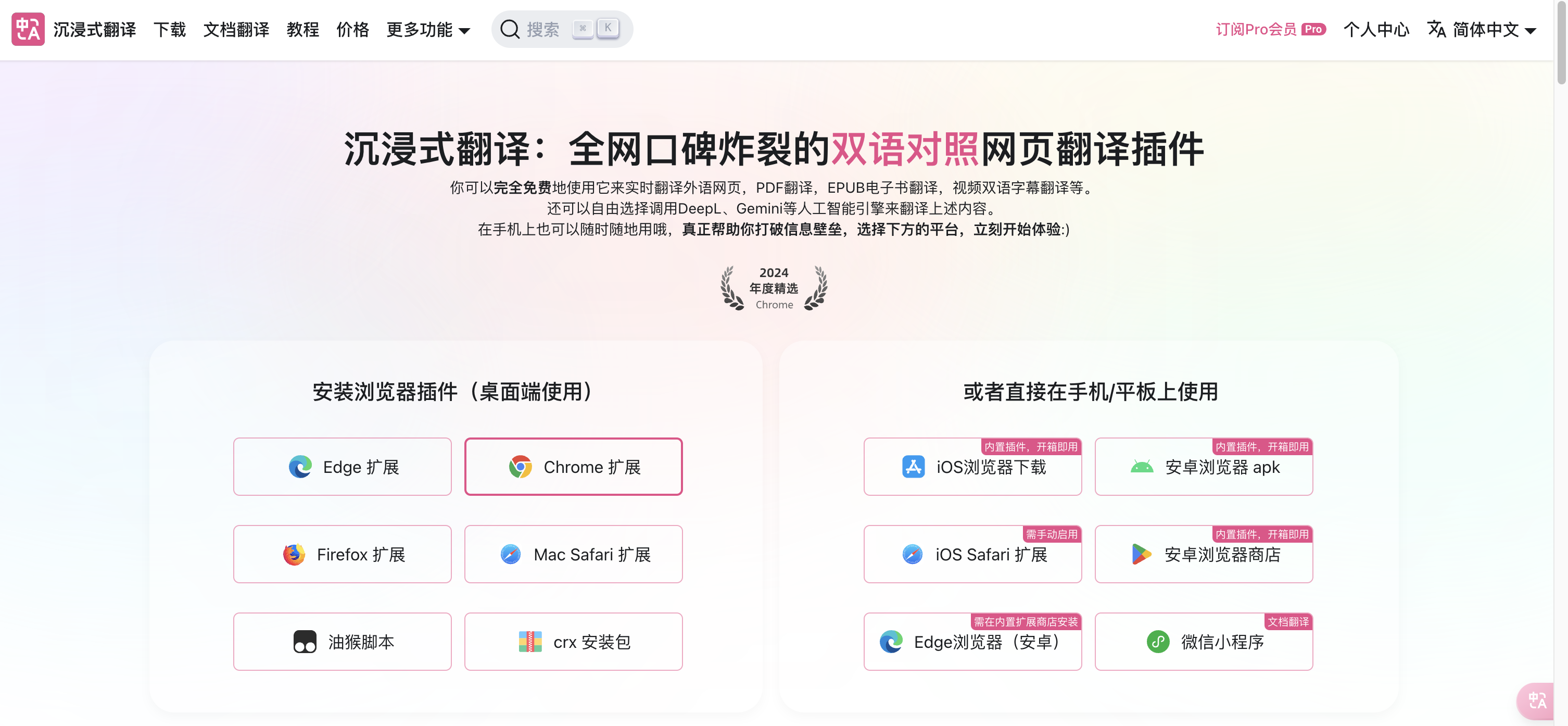
在“沉浸式翻译”[官网](https://immersivetranslate.com/zh-Hans/)选择“安装浏览器插件”,选择合适的浏览器版本,根据提示进行安装。如您已安装对应插件,请跳过本步骤。
 ## 2. 配置前置条件
(1)获取 API 接口地址
固定为: `https://api.ppio.com/openai/v1/chat/completions`。
(2)获取 API 秘钥
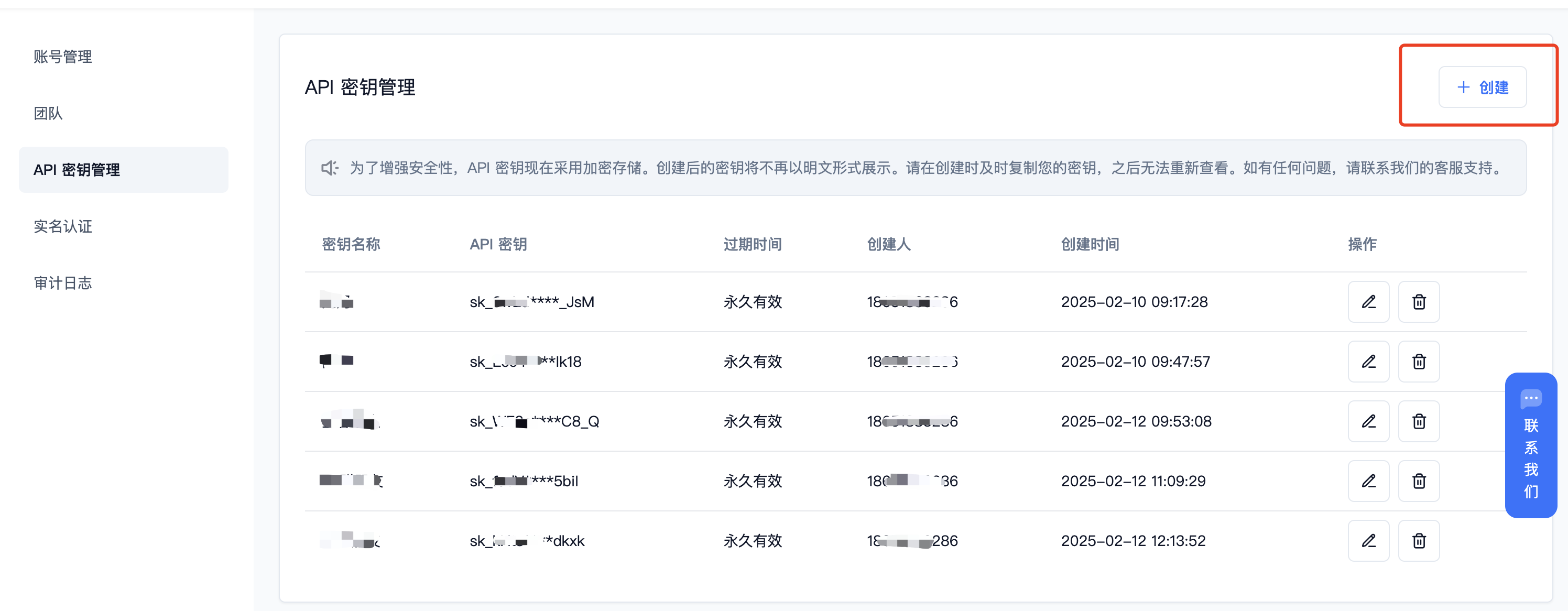
* 登录派欧云控制台 [API 秘钥管理](https://ppio.com/settings/key-management) 页面,点击创建按钮。
## 2. 配置前置条件
(1)获取 API 接口地址
固定为: `https://api.ppio.com/openai/v1/chat/completions`。
(2)获取 API 秘钥
* 登录派欧云控制台 [API 秘钥管理](https://ppio.com/settings/key-management) 页面,点击创建按钮。
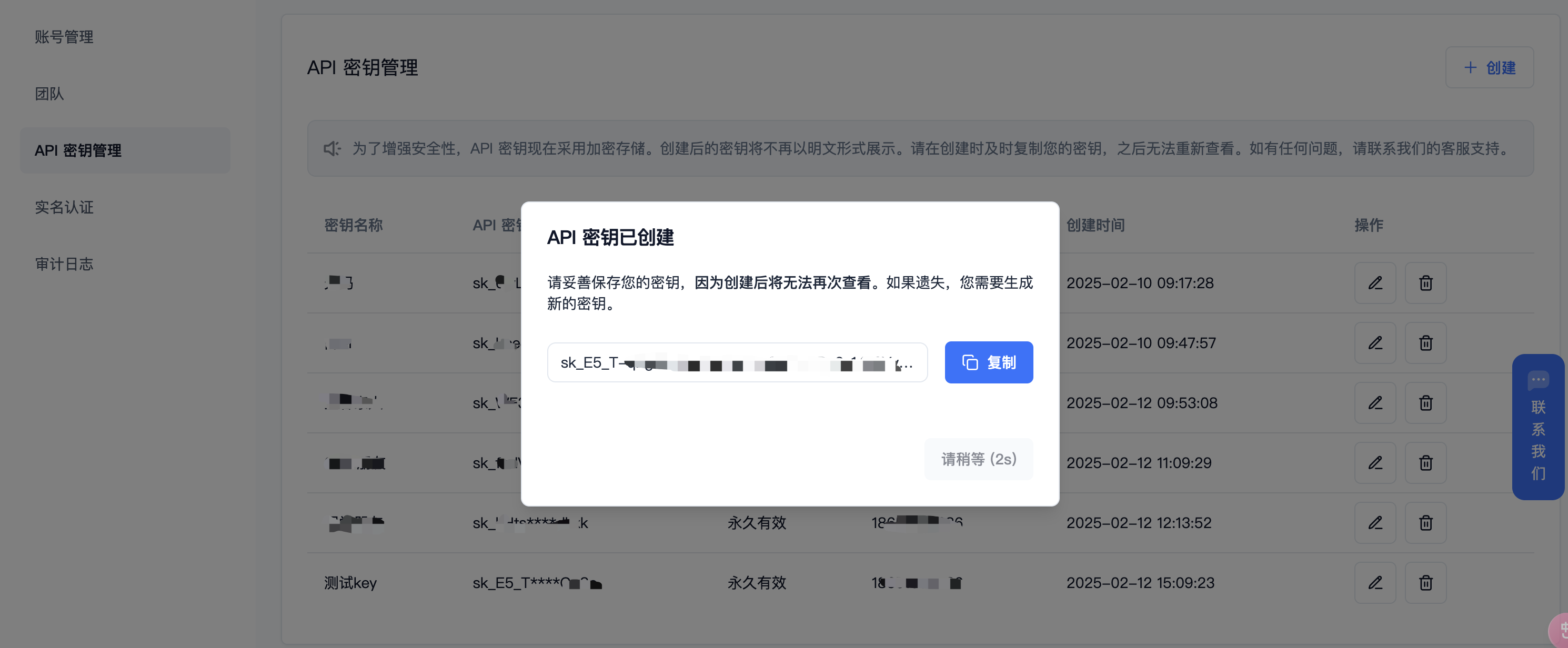
 * 生成并保存 API 秘钥
秘钥在服务端是加密存储,请在生成时保存好秘钥;若遗失可以在控制台上删除并创建一个新的秘钥。
* 生成并保存 API 秘钥
秘钥在服务端是加密存储,请在生成时保存好秘钥;若遗失可以在控制台上删除并创建一个新的秘钥。
 (3) 获取需要使用的模型 ID
推荐使用 DeepSeek 系列:
* DeepSeek R1:deepseek/deepseek-r1/community
* DeepSeek V3:deepseek/deepseek-v3/community
其他模型 ID 及价格可参考:[模型列表](https://ppio.com/model-api/pricing)
## 3. 插件配置
(1)打开插件【设置】
(3) 获取需要使用的模型 ID
推荐使用 DeepSeek 系列:
* DeepSeek R1:deepseek/deepseek-r1/community
* DeepSeek V3:deepseek/deepseek-v3/community
其他模型 ID 及价格可参考:[模型列表](https://ppio.com/model-api/pricing)
## 3. 插件配置
(1)打开插件【设置】
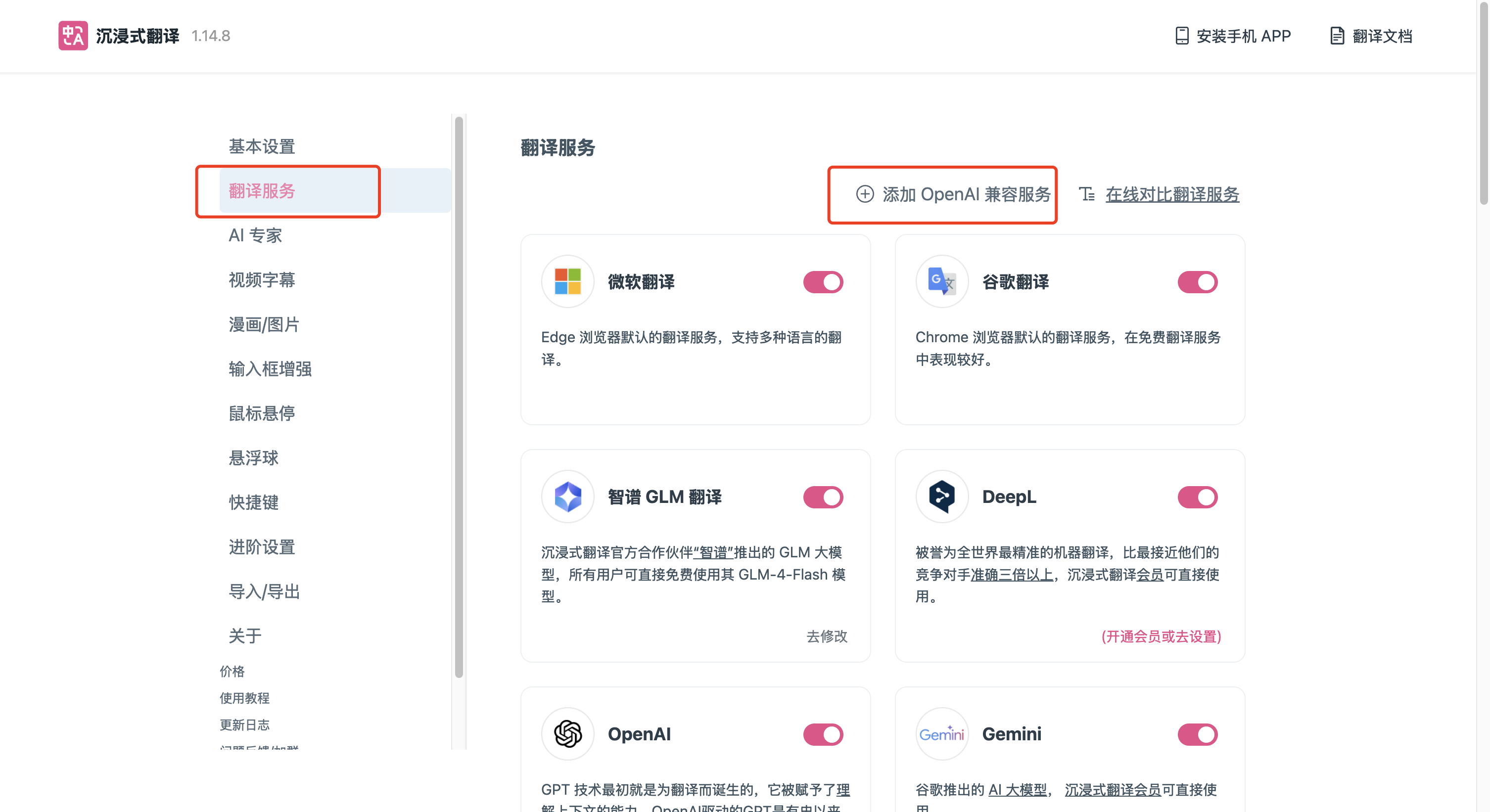
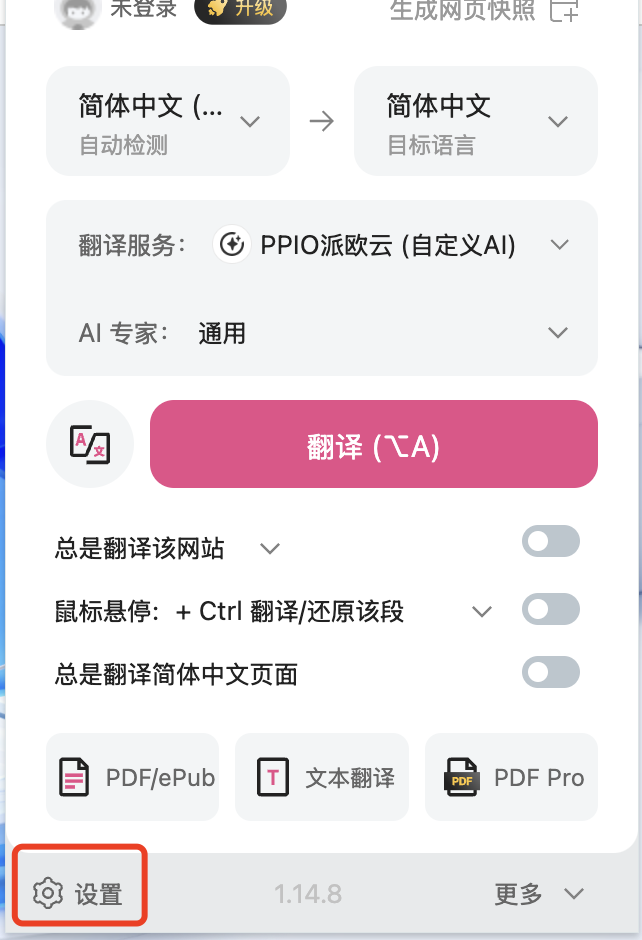 (2)选择【**翻译服务**】—【**添加 OpenAI 兼容服务**】。
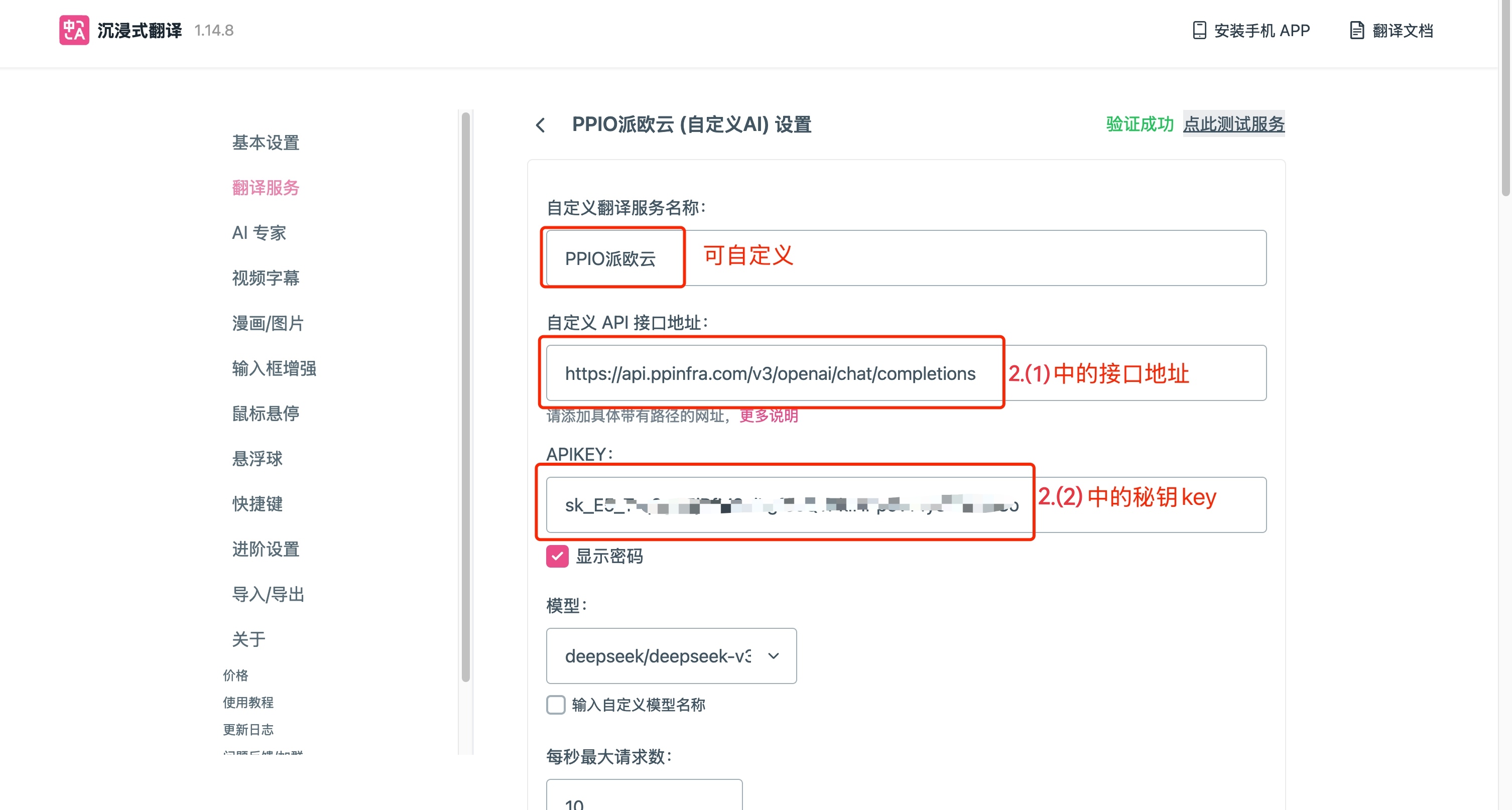
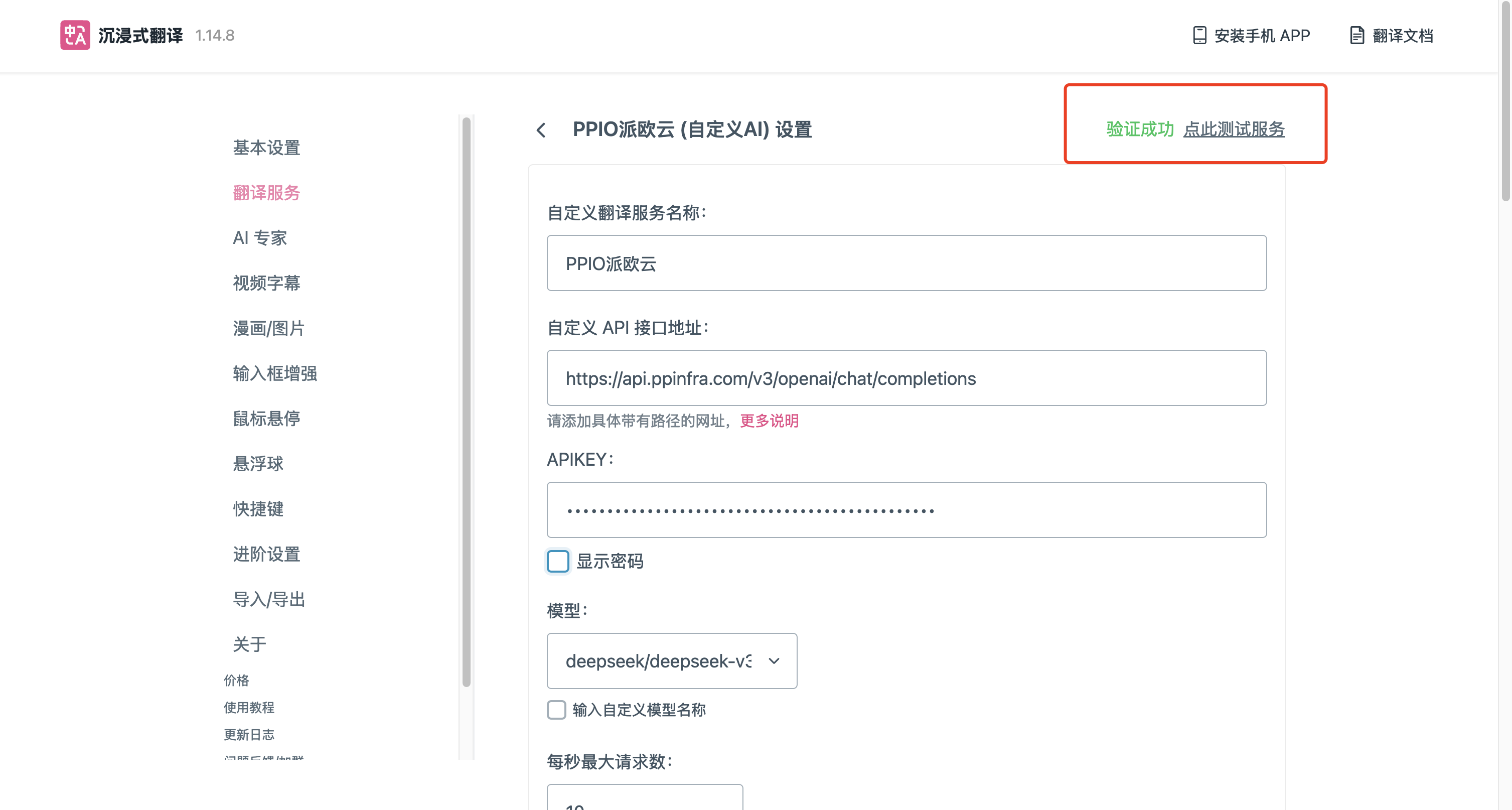
 (3)添加 PPIO 派欧云接口地址及秘钥 key。
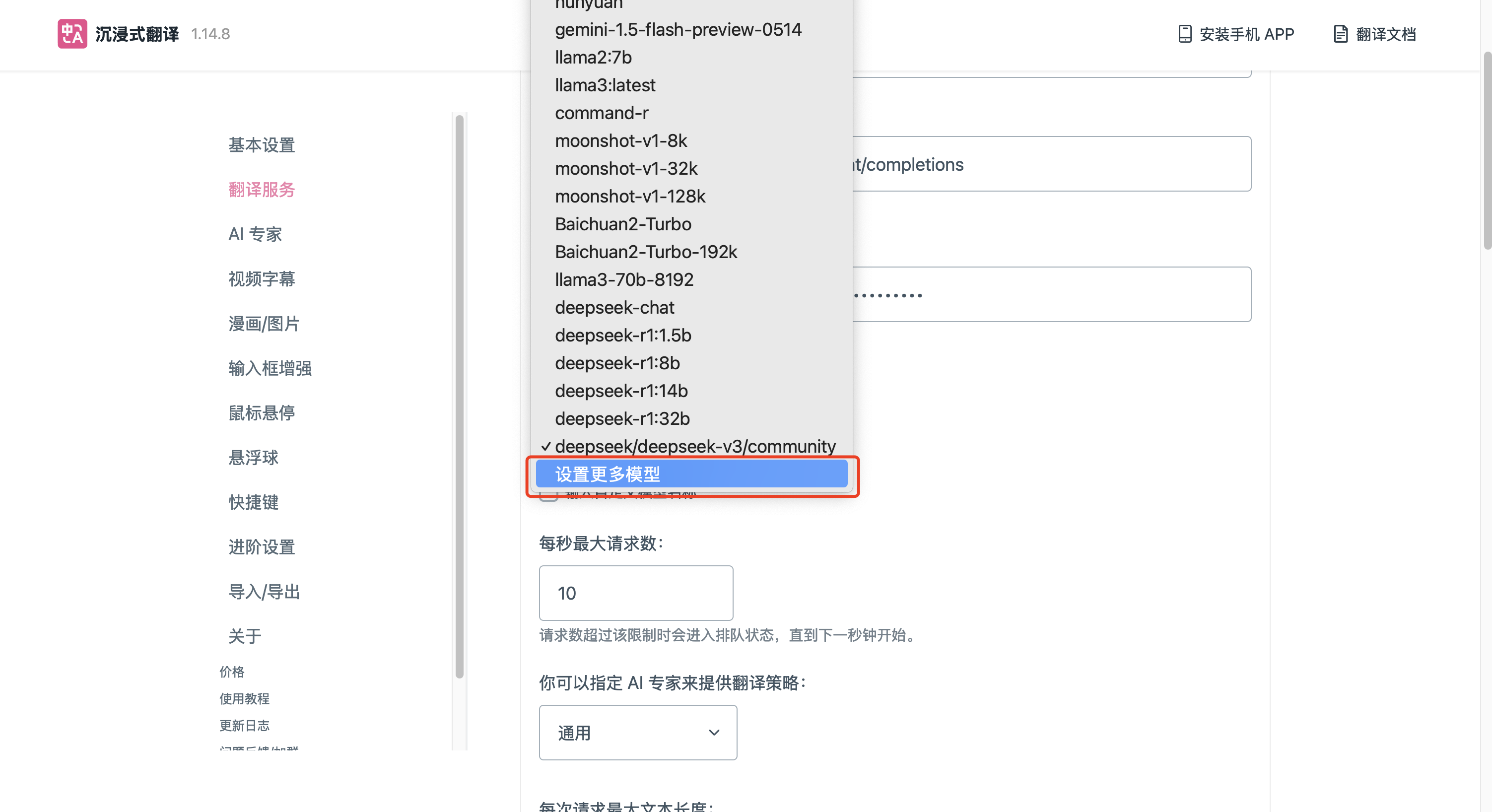
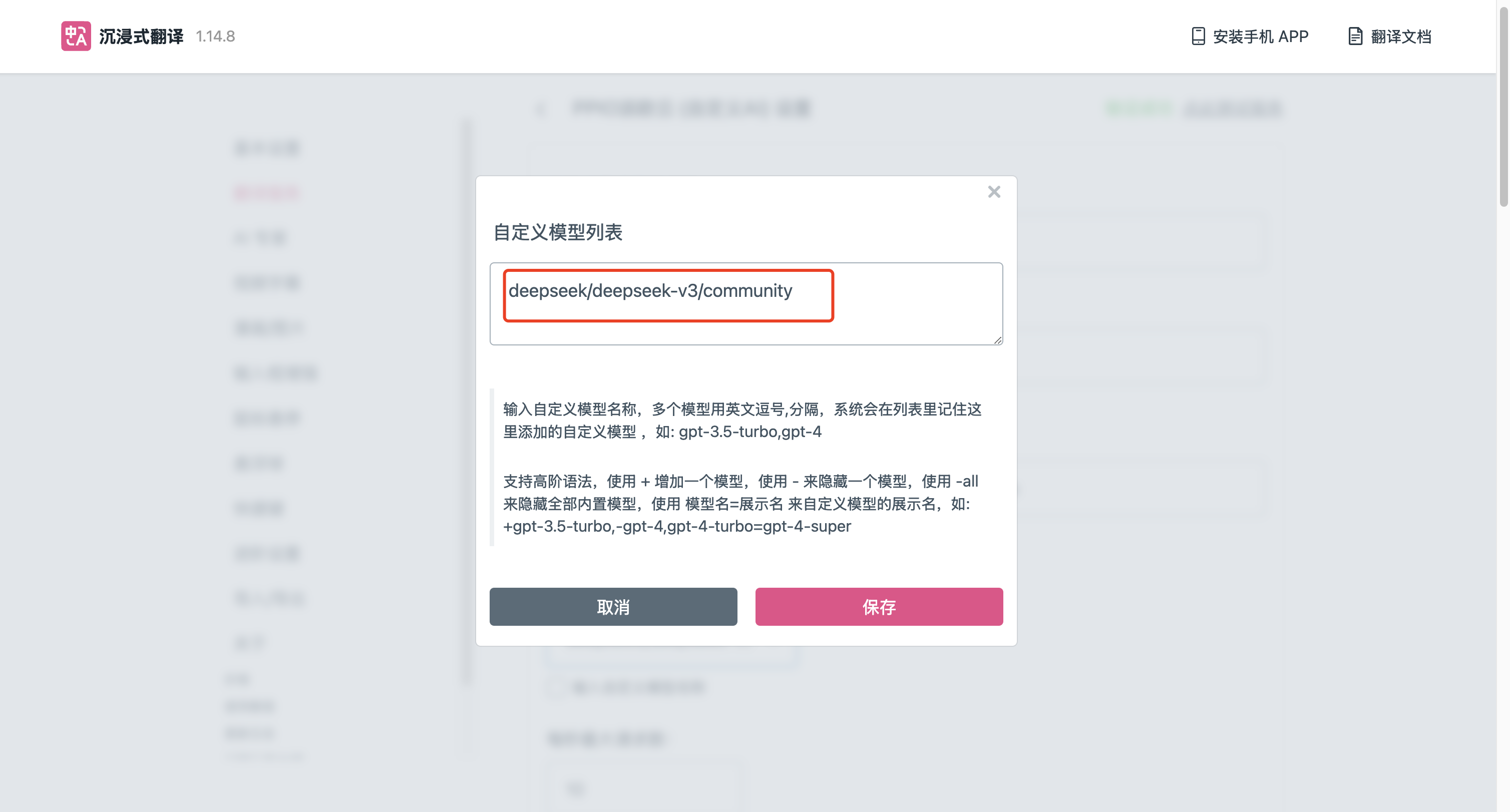
 (4)添加自定义模型,在模型下拉框点击 **设置更多模型**,填入 3.3 中对应的 DeepSeek 模型 ID,点击 **保存** 按钮。
 (5)点击 **点此测试服务**,验证配置的正确性。
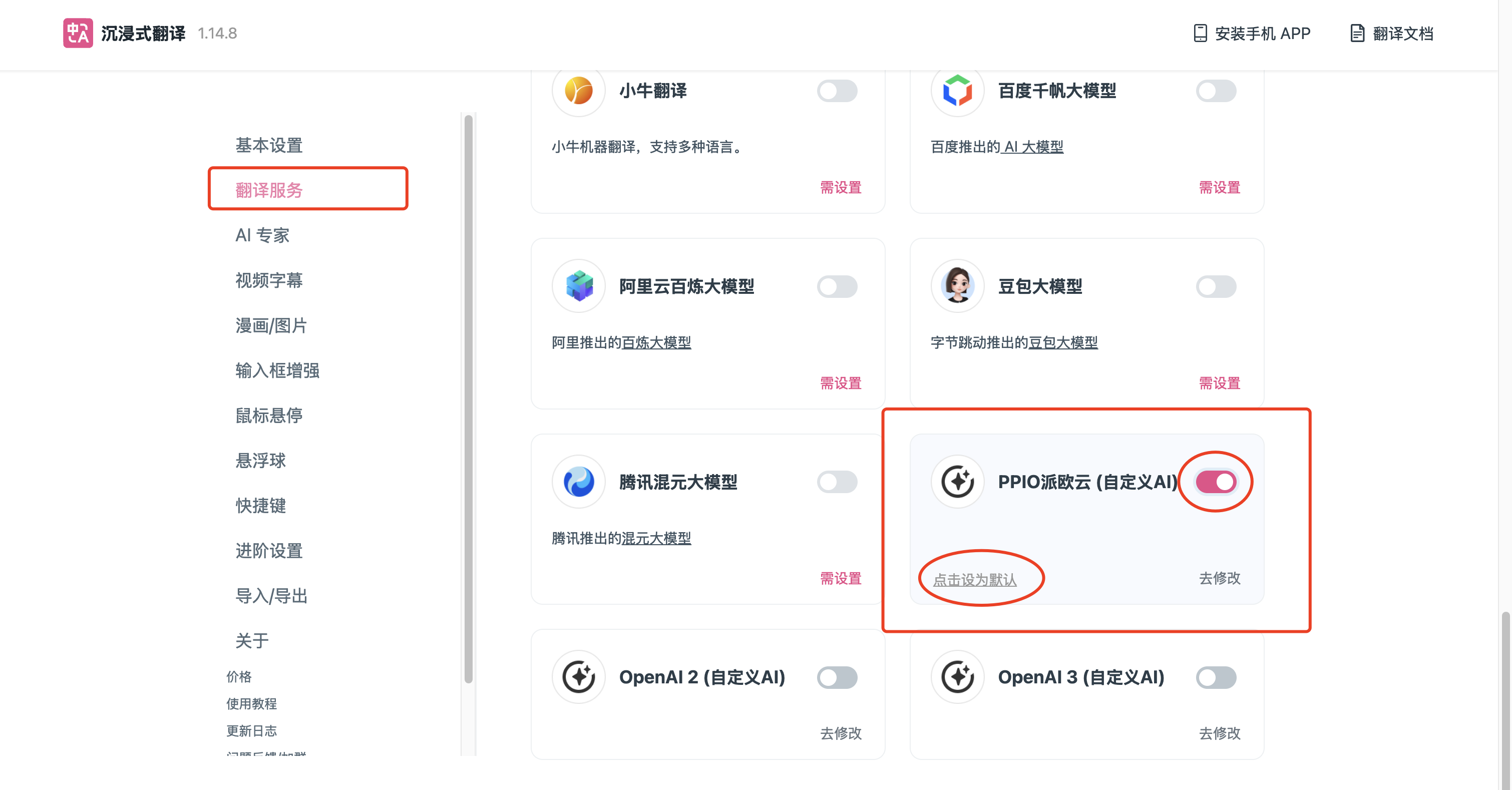
 (6)返回 翻译服务,打开 PPIO 派欧云 并配置为默认。
 ## PPIO 全新福利重磅来袭 🔥
🎁 新人专享:立即使用邀请码【VOJL20】完成注册并实名认证获得5元代金券。
🎉限时活动:分享邀请链接邀请好友注册,邀请返利详情请查看 [邀请返利](https://ppio.com/settings/invitation-rebate)。
## PPIO 全新福利重磅来袭 🔥
🎁 新人专享:立即使用邀请码【VOJL20】完成注册并实名认证获得5元代金券。
🎉限时活动:分享邀请链接邀请好友注册,邀请返利详情请查看 [邀请返利](https://ppio.com/settings/invitation-rebate)。